


INSTALLATION
When installing this oil pump on 2007 and prior models, EMM programming MUST be updated with the enclosed Service Update software to enable the LOW OIL and NO OIL warnings.
To begin the update process, use diagnostic interface cable, P/N 0437955, to connect a laptop computer to the engine diagnostic connector. Turn the key switch ON.
DO NOT run the Evinrude Diagnostic software program while performing this update.
Insert the update disc into the computer. The first update screen should appear. If the update does not start automatically, navigate to the CD in the computer’s file system and double-click the “InlineOilUpdate” icon.

Click the “NEXT” button.
When the second screen appears, click the “CONNECT” button.

The program will communicate with the EMM to check the model number, serial number, and software version.
If the update was previously installed, or is not intended for this engine, the following message will appear: Engine not qualified for update.
If the engine is qualified, click the “NEXT” button to continue.

Follow, in order, the five steps on the screen:
Turn the key switch OFF.
Install the Bootstrap tool into the key switch harness.
Turn the key switch ON.
Click the “CONFIRM BOOTSTRAP” button.
Click the “UPLOAD” button.

A progress bar will confirm the software upload.
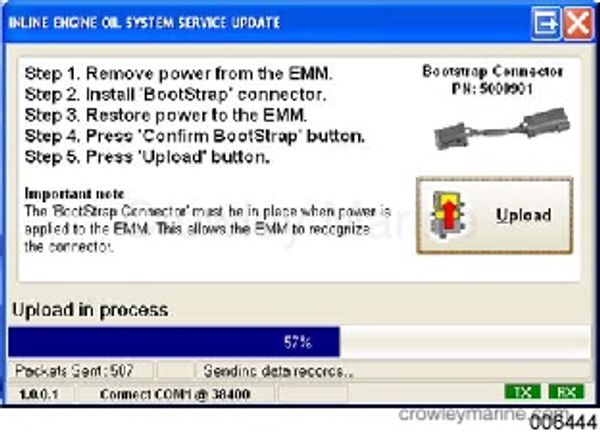
When the upload is complete:
Click the “OK” button.
Turn the key switch OFF.
Remove the Bootstrap tool.