Calibrations
From the Menu Settings screen, touch Settings icon, then touch the Calibrations tab. Touch a selected Tab icon (FLUID TANKS, TRIM/TILT, or ECO) and follow the pop-up menu instructions on the screen to Reconfigure or Calibrate.
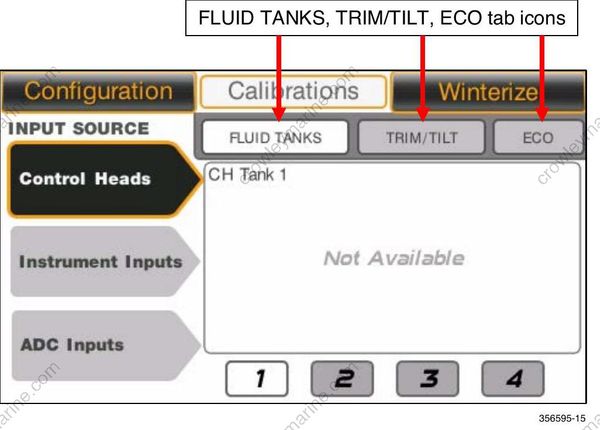
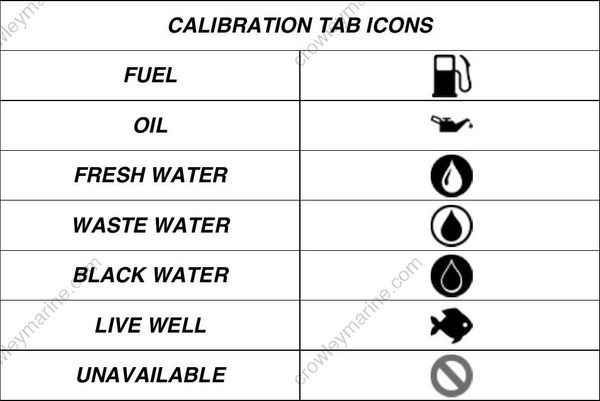
Calibrations tab icons have source inputs from a remote control, the display, or Analog-to- Digital (ADC) converters.
Fluid Tank Calibration
Control Head Inputs:
There are four control head fluid level inputs. Their connections are located on the remote control wiring harness. These inputs connect to a fuel level or oil level sending unit.
The tank fill choices are Fuel and Oil.
In the Calibrations screen, touch the Fluid Tank icon to set the Fluid Tank Calibration. Touch the required tank icon (1, 2, 3, or 4) on the bottom of the screen to reconfigure or recalibrate the selected tank.
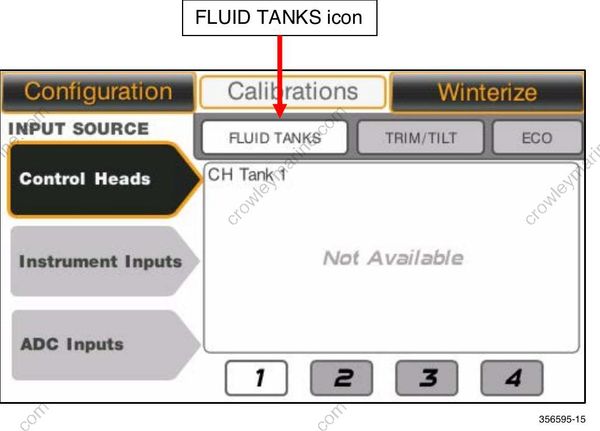
Follow the pop-up menu instructions on the screen.
Instrument Inputs:
There are three instrument inputs. Their connections are located on the display’s wiring harness. The inputs connect to a fluid level sending unit.
The tank fill choices are Oil, Fresh Water, Waste Water or Black Water.
Touch the Instrument Inputs icon on the left side of the screen.
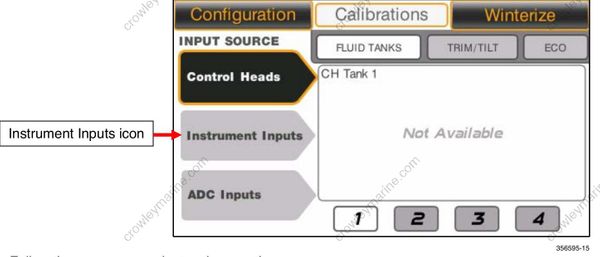
Follow the pop-up menu instructions on the screen
Analog to Digital Converter (ADC) Inputs:
The display can support five ADC inputs. These inputs connect to the NMEA 2000 network on the vessel. These input icons are labeled on the screen as: Navico 1, Navico 2, Navico 3, Navico 4, and Navico 5.
Touch the ADC Inputs icon on the left side of the screen.
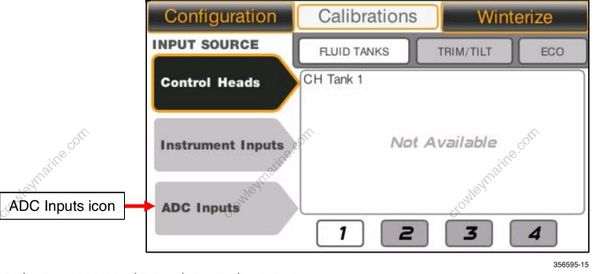
Follow the pop-up menu instructions on the screen.
TRIM/TILT Calibration
In the Calibrations screen, touch the Trim/Tilt icon to set the trim/tilt calibrations.
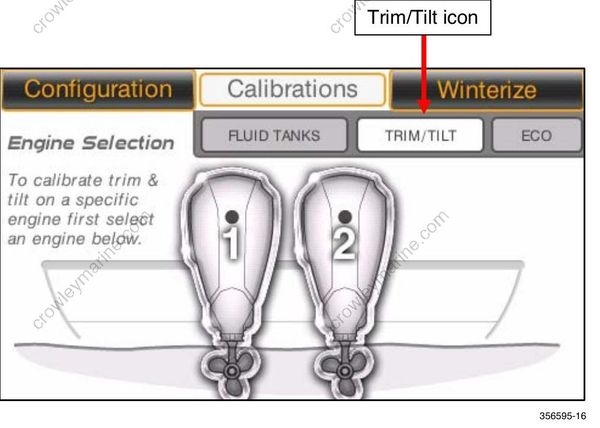
To calibrate trim/tilt, select an outboard and follow the pop-up menu instructions on the display screen.
The setting options are TILT MAX, TRIM UPPER, and TRIM LOWER.
ECO (Fuel Economy) Calibration
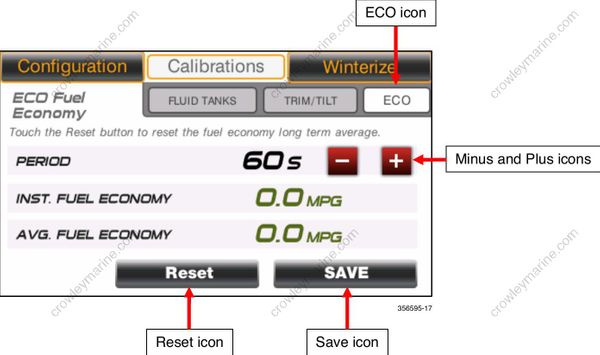
In the Calibrations feature, touch the ECO icon to set the ECO calibrations.
Touch the Minus and Plus icons to change the number of seconds in the Fuel Economy calculation period.
Touch the Reset icon to reset the Fuel Economy Long Term Average.
Touch the Save icon to save the settings.