

Oil Injection Rate
The Engine Management Module (EMM) controls the oil injection rate based on engine RPM. This rate can be adjusted for the type of oil being used, and also for powerhead break-in. Use Evinrude Diagnostics software to access these features.
The Set Oil Type option controls the injection rate for the oil being used and typical operating conditions.
The TC-W3 oil type setting is the standard setting for all outboards. Set TC-W3 for:
Operation with all TC-W3 outboard oils including XD30, XD50, or XD100.
Applications requiring maximum lubrication.
Extreme applications (commercial or harsh conditions, racing or other high performance operation).
Use this setting with XD100 outboard oil in extreme applications
The XD100 setting provides an option to run the outboard at a reduced oil injection rate. This setting REQUIRES the use of Evinrude XD100 outboard lubricant and is not recommended for all applications.
IMPORTANT: The XD100 setting is not available on all models.
Use the XD100 setting for:
Conventional use (runabouts, cruisers)
Moderate applications
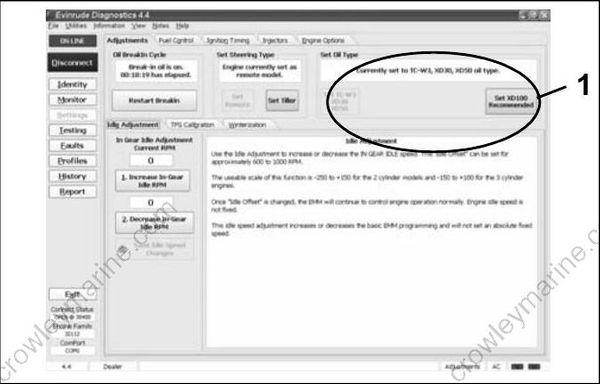
- Oil control setting
Running an Evinrude E-TEC outboard on other grades of oil while set to the XD100 oil ratio will result in increased engine wear and shortened outboard life.
Powerhead oil programming labels are provided to identify EMM oil programming. Install the correct label to alert user to specific oil requirements.
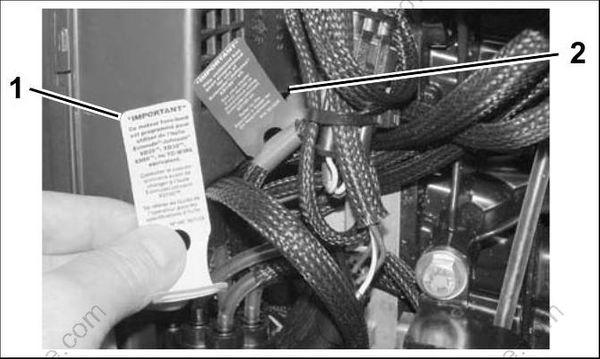
004964
- Evinrude/Johnson XD30 outboard lubricant (TC-W3) YELLOW label
- Evinrude/Johnson XD100 outboard lubricant (Premium) BLUE label (Installed)
An XD100 Outboard Oil Decal, P/N 352369, is available to label boats equipped with outboards that have been programmed for the reduced oil injection ratio.
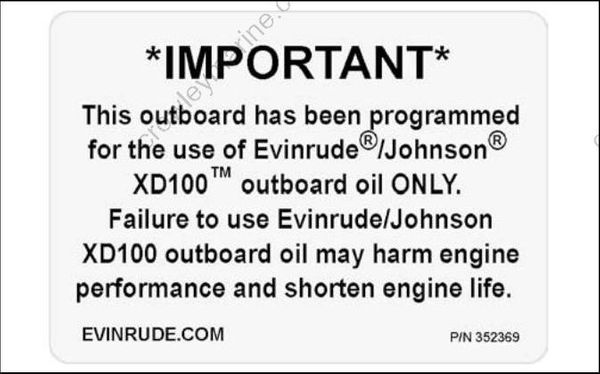
004522
XD100 Outboard Oil Decal
Install decals in a highly visible location, such as one of the following:
Dashboard/deck of boat, next to key switch
Deck of boat, next to the remote oil fill
Deck of boat, next to oil tank assembly
Oil tank cover
Cover of oil tank compartment
Attach to oil tank or oil fill cap.
IMPORTANT: Make sure the engine label and boat decals match EMM programming.
Break-In Oiling
IMPORTANT: DO NOT add oil in the fuel tank on Evinrude E-TEC models.
The EMM automatically supplies extra oil to the engine as follows:
60° V4 & V6: First five hours above 2000 RPM Follow these steps for outboard set-up:
Use Evinrude Diagnostics software to make sure the break-in program has been started on a new outboard.
Use the diagnostics software to start break-in oiling after a powerhead rebuild.
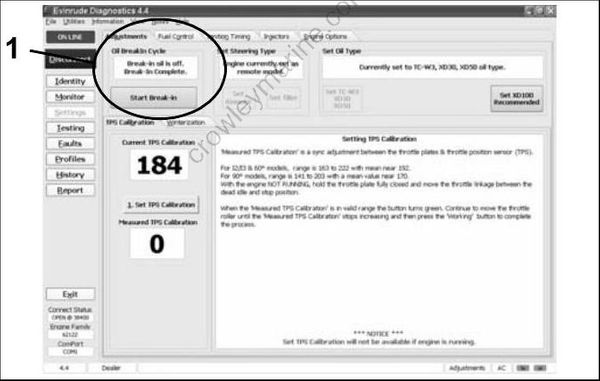
008108
- Break-in oil setting
The operator must monitor the oil tank level to confirm oil consumption. This may require several hours of operation above idle.
Oil Supply Priming
Always use caution while working around machinery with moving parts. The following set-up procedures require running tests that are performed with the outboard’s motor cover removed.
Oil Hose Priming
Insert the oil supply hose from the oil tank into a suitable container. Squeeze the oil primer bulb until oil flows from the oil tank into the container.
Once oil supply hose from the oil tank is filled with oil, connect the hose to the oil supply fitting on outboard and secure with Oetiker clamp.
Oil Pump Priming
Squeeze the oil primer bulb until oil flows from the oil supply hose, through the oil filter, and into the oil pump assembly.
IMPORTANT: Inspect oil filter to make sure it is filled with oil. All air must be eliminated from the oil filter during priming procedure.
IMPORTANT: Arrow on oil filter faces incoming oil.
Continue to squeeze the oil primer bulb until oil flows through the oil pump, into the oil distribution hoses, and to the crankcase fittings.
Use Evinrude Diagnostics software to make sure the EMM is programmed for the type of oil being used.
Start the outboard. Use the oil priming function in the software to make sure the system is completely primed.
Use the Prime Oil System button of the Dynamic Test screen to prime the oil pump.
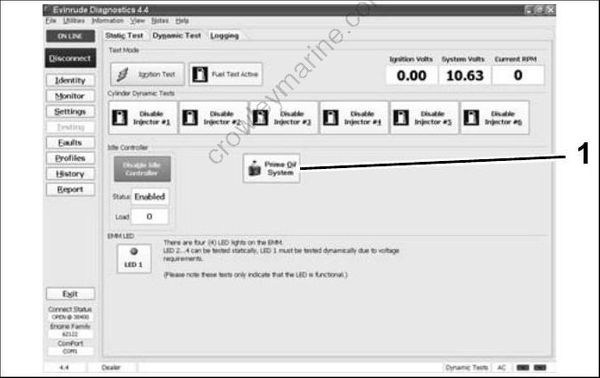
008092
Dynamic Test Screen
- Prime Oil System button
Observe oil flow through all oil distribution hoses. Air must be purged during the priming procedure.
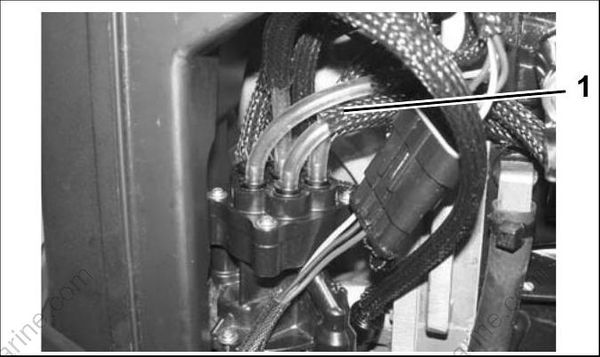
004965
60° V4–V6 Models
- Oil distribution hoses
Make sure that oil flows through the rear oil distribution manifold to the cylinder block fittings.
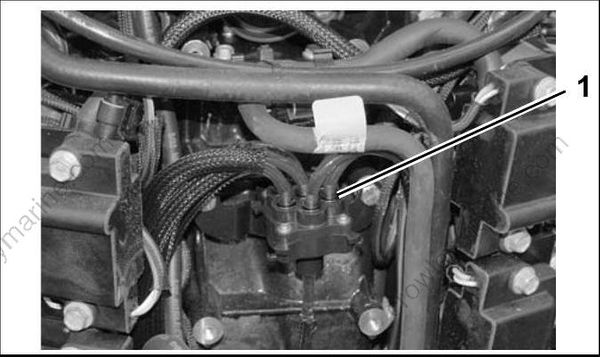
008016
- Rear oil distribution manifold
Small bubbles are acceptable. Large bubbles must be eliminated through continued priming.
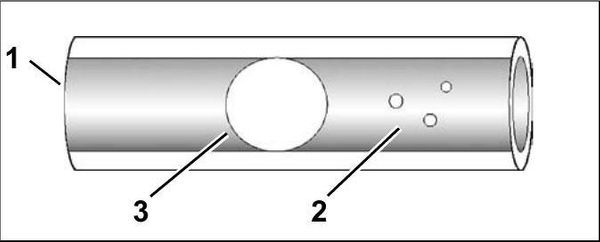
004398
- Oil distribution hose
- Small bubbles
- Large bubbles
Repair any fuel or oil leaks.
The oiling system on these models can also be primed using the Self-Winterizing feature if diagnostics software is not available. Refer to STORAGE on p. 43.
