

Using the Display
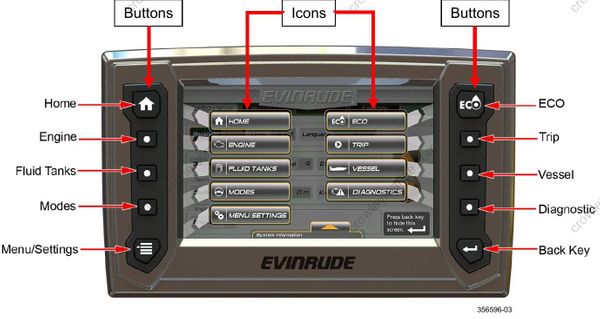
Use the Quick Access buttons to access a screen. Use the on-screen Touch Point icons to access a screen or select a specific feature.
Quick Access Buttons and Icons
Press a button or on-screen icon to access its associated screen.
Touch Point Icons
Navigation within a page is controlled with Touch Point Icons. Active icons are highlighted. When touched they select an item or give more information via pop-up menu or a new screen.
This illustration shows tab icons, outboard icons, and a button icon.

