Trip
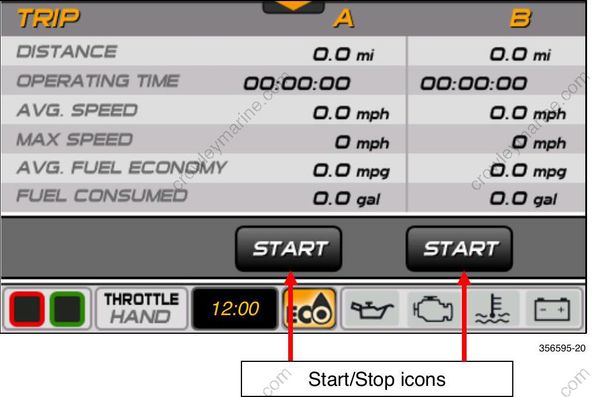
Press the Trip button or the Trip icon to access the Trip screen. The Trip screen shows data pertaining to the operation of the vessel during a specified time or distance. Trip data requires the installation of a GPS antenna; use BRP P/N 767488.
The data shown is:
Distance
Operating Time
Average Speed
Maximum Speed
Average Fuel Economy
Fuel Consumed
Touch the Start icon under Trip A or Trip B to collect data. Touch the Stop icon to stop collecting data. To reset a trip, touch and hold the Start icon until the data resets to zero on the screen.