

Step 1: Engine and Control Systems
- Check for internal fuel leakage from a leaking injector or vapor separator vent hose.
If the engine shuts OFF and the “CHECK ENGINE” light is flashing, the engine cannot be restarted. A hazardous fuel condition may exist which could result in a fire or explosion.
Step 2: Recovery
To recover from shutdown mode, the EMM must NOT detect the related fault at start-up.
After any code is cleared using diagnostics software the EMM must be turned OFF and ON again.
Shutdown related to code 29 and 31:
- Engine will NOT restart until the EMM and/or engine temperature to return to normal.
- Correct the cooling problem.
- Use Evinrude Diagnostics software to clear fault code 29 or 31.
Shutdown related to code 33:
- Engine will restart and run for 1 minute before it shuts down again.
- To correct the problem fill the oil tank and prime the oil system. Refer to Oil Supply Priming on p. 196.
- Use Evinrude Diagnostics software to clear fault code 33.
Shutdown related to code 57:
- Engine will NOT restart until problem is corrected.
- Find and correct the problem that caused the fault BEFORE clearing the Occurred fault code.
- Requires the removal of the Occurred fault code. Use Evinrude Diagnostics software to clear fault code 57.
Shutdown related to codes 199, 200, 201, 203, 204, 205, or 207:
- Engine will NOT restart until problem is corrected.
- Find and correct the problem that caused the fault BEFORE clearing the Occurred fault code.
Engine will re-start after key switch is cycled, as long as the fault is not active.
Step 3: Diagnostic Software Functions
The EMM saves valuable information about the outboard and its running history. This information can be used for troubleshooting, for checking parts information, and for making service adjustments to the engine.
Use Evinrude Diagnostics software, version 6.1 or higher, and a laptop computer to access program information.
IMPORTANT: For software help, refer to the “Help” menu in the software.
Communication
Evinrude E-TEC G2 models communicate diagnostic information over the NMEA 2000 network. An MPI-2 Adapter, P/N 767994, is required.
Connect the NMEA 2000 connector to a Tee, P/N 764151, in the NMEA 2000 network. Connect the USB connector of the MPI–2 interface card directly to the computer’s USB port.
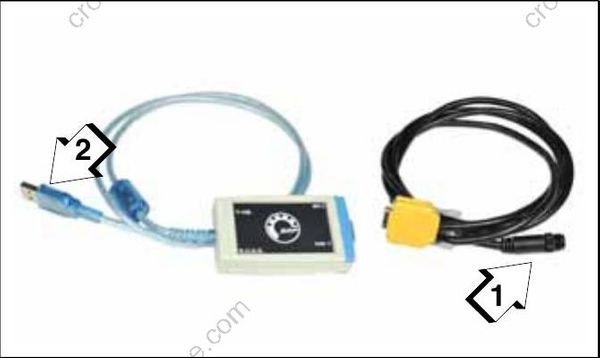
MPI-2 Adapter, P/N 767994
- NMEA 2000 network connector
- USB connector
The EMM must turn ON before it will communicate with the computer.
Power is normally supplied to the EMM when the key switch is ON. Switched B+ (12 V) enters the EMM at pin 21 (purple/black) of the EMM J1-B connector.
Identification
The Identification screen displays the engine model and serial numbers as well as other manufacturing information. The outboard model and serial numbers displayed on the Identification screen must match the identification label on the outboard swivel bracket.
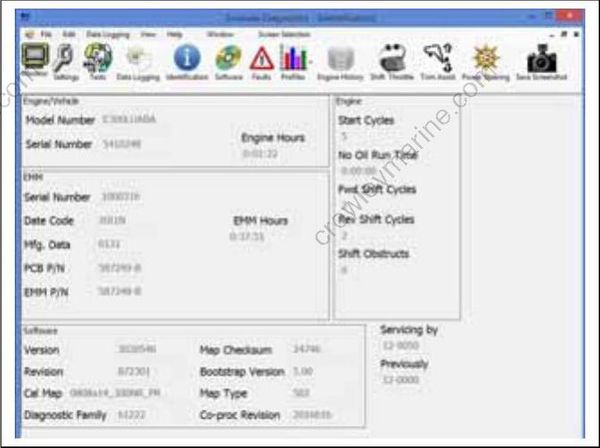
Identification Screen
Engine Monitor Information
The Engine Monitor screen displays dynamic information while the outboard is running. Changes in data, such as voltages or temperatures, are shown as they happen.
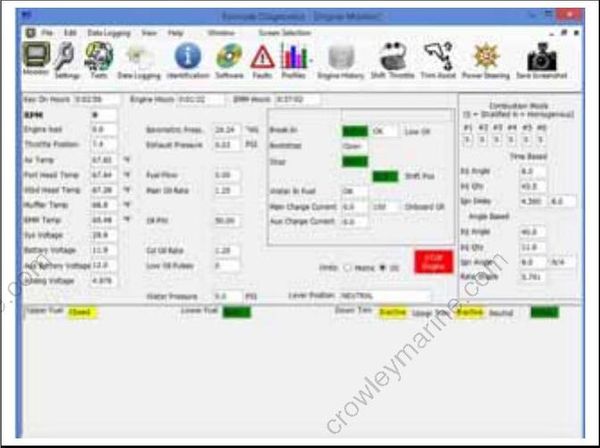
Engine Monitor Screen
Faults and Fault Codes
An abnormal condition that occurs is known as a fault. There are three types of faults:
- Active Fault – A fault that currently exists. Active faults become occurred faults only if the outboard is running.
- Occurred Fault – A fault that occurred while the engine was running at some point in time.
- Historical Fault – An historical record of occurred faults. Historical faults cannot be cleared.
A fault code and corresponding fault code number are generated for monitored conditions. Refer to the Fault Code Chart for a complete list of all fault codes.
Active Faults
The Active Faults screen displays the code number, the number of times the event occurred, and number of occurrences.
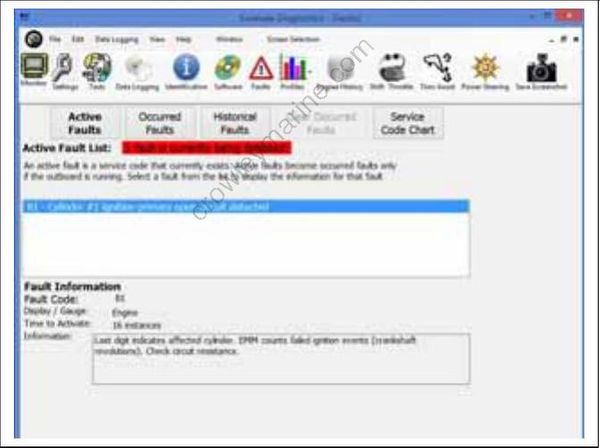
Active Faults Screen
Occurred Faults
The Occurred Faults screen displays the code number, the number of times the event occurred, and operating hours of first and last occurrences.
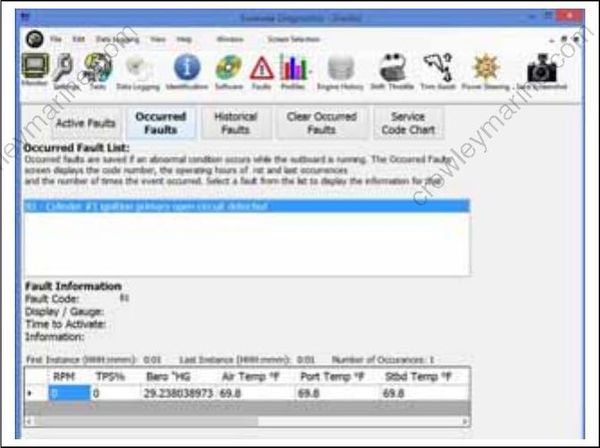
Occurred Faults Review Screen
Historical Faults
The Historical Faults screen displays a history of all previous occurred codes, including code number, the number of times the event occurred, and operating hours of the last occurrence.
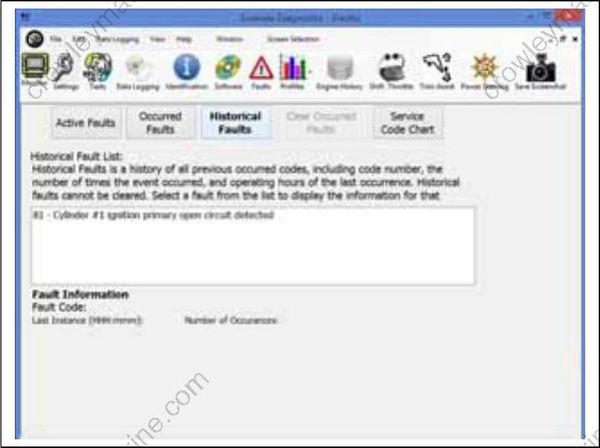
Historical Faults Screen
Settings
Powerhead Break-In
Use the diagnostic software to initiate break-in oiling. Break-in is a predetermined oiling program that runs for two hours of outboard operation, above 2000 RPM.
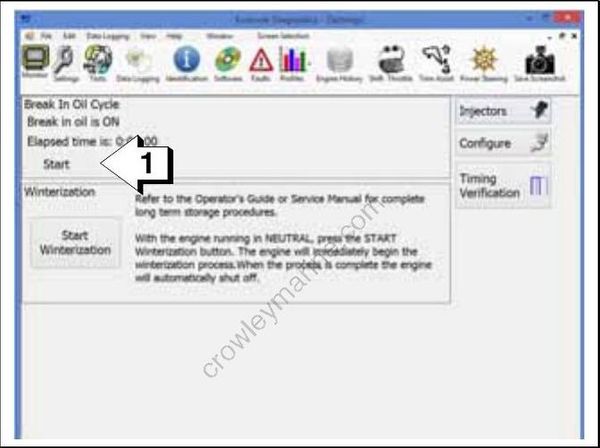
Settings Screen
- Break-in oil setting
Ignition Timing
Use the Timing Verification screen to check and adjust EMM timing. EMM timing must be synchronized to crankshaft position.
Refer to Timing Adjustments on p. 136.
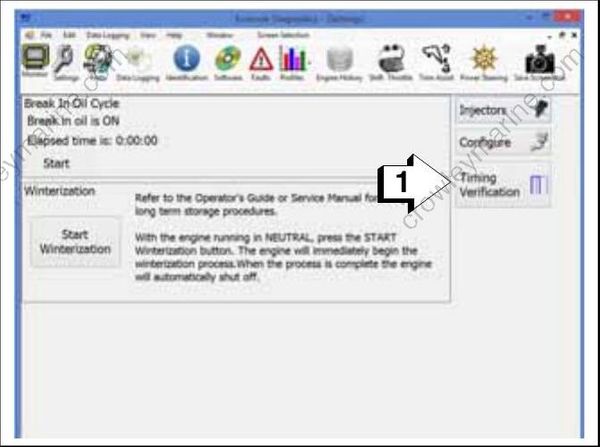
Settings Screen
- Timing Verification
Check timing after replacing a powerhead, crank shaft or flywheel.
IMPORTANT: Make sure the timing pointer is set and the outboard reaches operating temperature before making adjustments.
Tests
The Tests screen displays both static and dynamic tests. The appropriate buttons are active depending on whether the outboard is running or not running.
Static Tests
Static Tests allow diagnostic testing of system components while the outboard is NOT running.
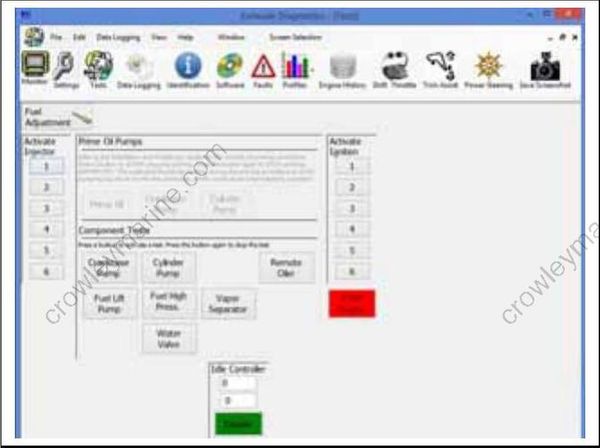
Tests Screen (Static Mode)
Ignition Test
Use the diagnostics software to test each ignition circuit. Refer to Ignition System Static Test on p. 105.
Injector Test
Use the diagnostics software to test each fuel injector circuit. Refer to Fuel Injector Static Test on p. 106.
Oil Pumps
Use the diagnostics software to test the oil pump circuits. Refer to Oiling System Tests on p. 198.
Fuel Pumps
Use the diagnostics software to test the fuel lift pump and fuel circulation pump circuits. Refer to Fuel Pump Static Test on p. 105.
Dynamic Tests
Dynamic tests are performed with the outboard running.
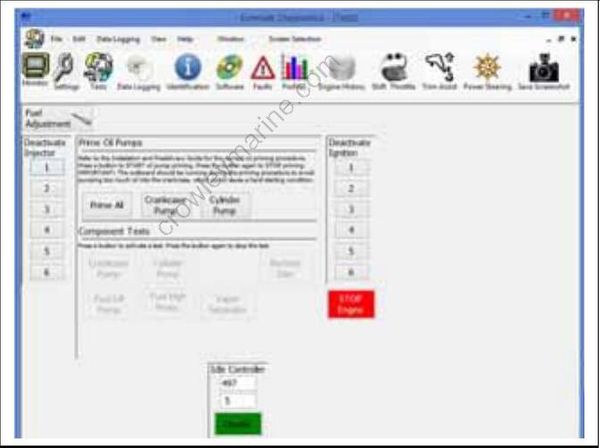
Tests Screen (Dynamic Mode)
Ignition Test
This test momentarily disables the ignition and fuel injection circuits to one cylinder. By dropping one cylinder, RPM and running quality changes can be observed. Refer to Dynamic Tests on p. 108.
Injector Test
This test momentarily disables one fuel injector circuit. By dropping one cylinder, RPM and running quality changes can be observed. Refer to Dynamic Tests on p. 108.
Prime Oil
This test is used to cycle the oil injection pump for priming the oiling system. Perform this test with outboard running to activate oil pump.
Fuel Injector Servicing
All E-TEC fuel injectors use software programming to compensate for variations in fuel flow. Each injector and its location on the outboard is identified by the EMM. DO NOT install an injector without updating the compensation software.
To install a service injector, click the “Replace” button on the Injector Information screen and select the file for the replacement injector. Refer to Fuel Injector Service on p. 174.
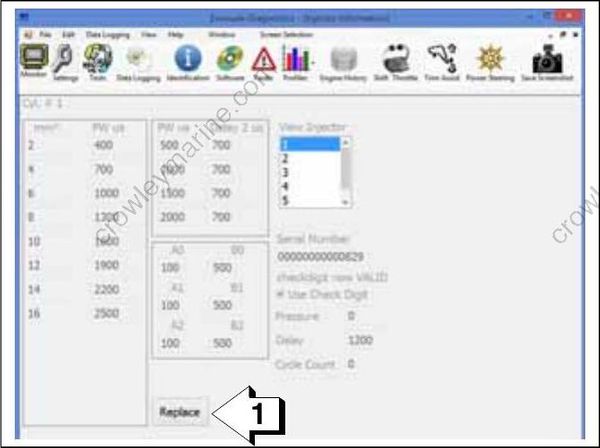
Injector Information Screen
- Replace button
The serial number and cylinder location displayed on the Injector Coefficients screen must match the actual cylinder placement for each injector.
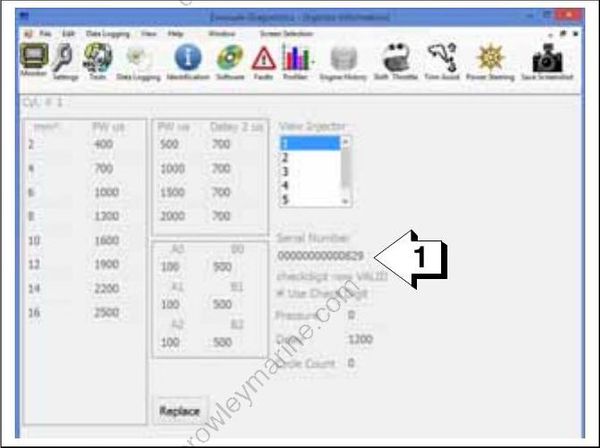
Injector Information Screen
- Injector serial number
History and Reports
Engine history and reports provide service records and can be used to document the running history of an outboard. Reviewing this information can help identify or resolve some service issues.
From the History screen:
- Press the Create EDF button to create an engine data file. Engine data files are required when replacing an EMM.
- Press the Running History button to view the Last Two Minutes data.
- Press the Create Report button to create a new report (must be connected to/communicating with the engine EMM).
- Press Open Exports Folder to view saved reports.
- Press Show Selected Report to view a report selected from the Engine History Records List.
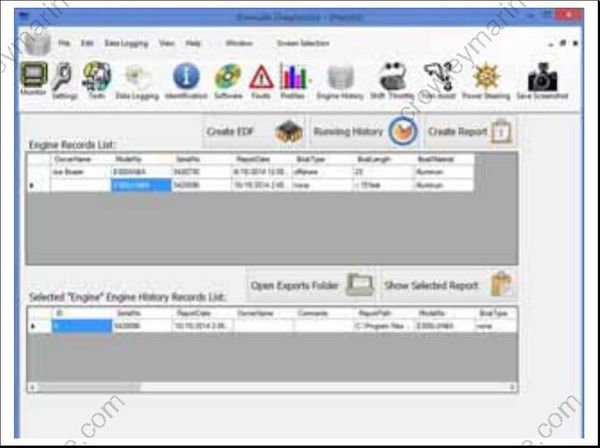
History Screen
Software
Various management software is loaded into the EMM at the factory.
Periodically, a new program may be available to enhance the operation of an outboard. Select from:
- Update EMM to update engine management software
- Load Co-processor firmware to update the EMM co-processor
- Load Steering firmware to update a DPS module
- EMM Transfer to save and transfer engine his tory data when the EMM must be replaced
Follow the instructions provided with the program.
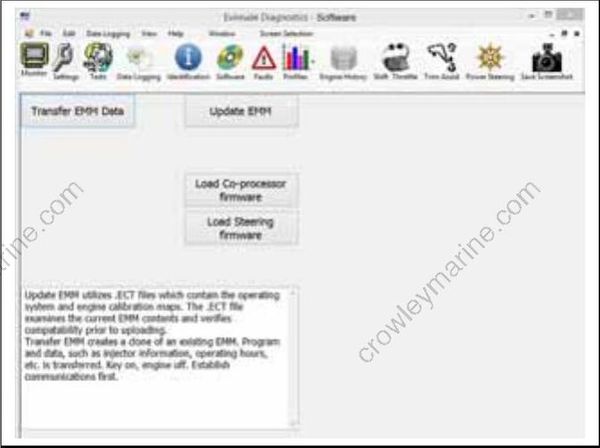
Software Screen
