

Cable, Hose, and Wire Routing
To prevent accidental starting while servicing, disconnect the battery cables at the battery. Twist and remove all spark plug leads.
Refer to Control Cable Identification on p. 38.
Remove cable retainer from anchor block. Apply Triple-Guard grease to both anchor block pockets.
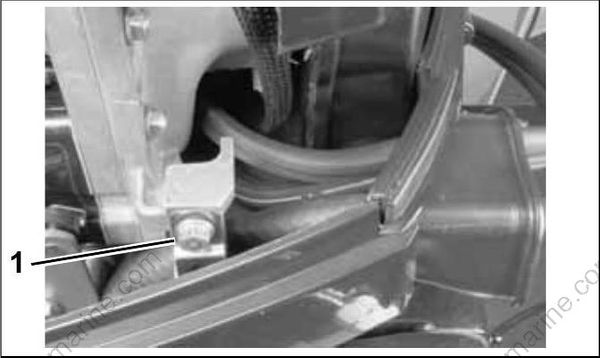
002099
- Cable retainer
Move the remote control handle to NEUTRAL and make sure throttle is in the IDLE position.
Apply soapy water to the inside surfaces of grommet and install cables and fuel line as shown:
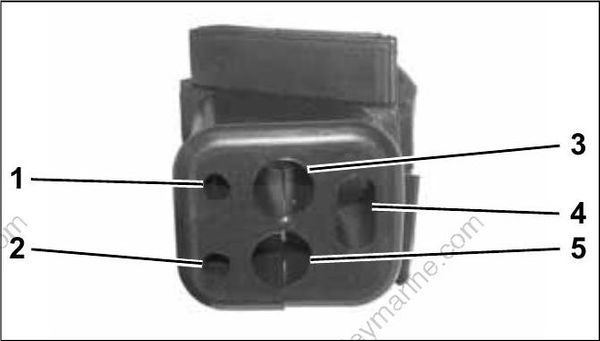
001998
- Throttle cable
- Shift cable
- Main wiring harness
- Battery cable
- Fuel line
Place the grommet into position in the lower engine cover.
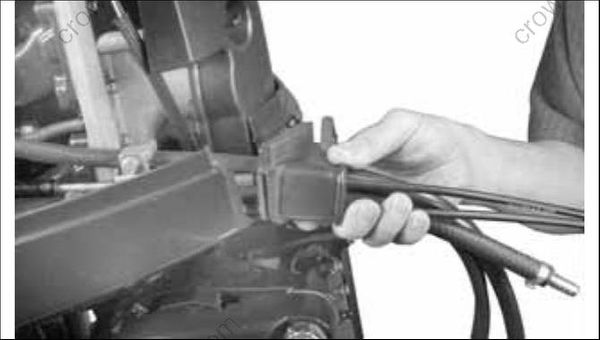
002104
When grommet is in place and all cables have been installed, tighten a tie strap around the outside of the grommet to form a watertight seal around the cables.
Control Cable Adjustments
IMPORTANT: DO NOT attach cables to throttle and shift levers until all cables, wires, and hoses have been routed and grommet has been placed into the lower engine cover.
Pull firmly on shift cable casing to remove slack. With outboard in NEUTRAL, place the cable trunnion into the lower anchor pocket. Adjust the trunnion nut so the casing fits onto the shift lever pin.
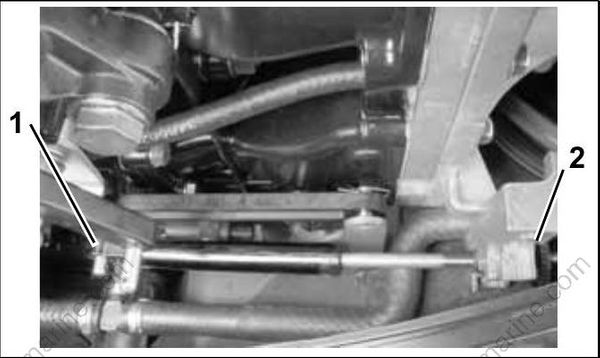
002100
- Shift lever pin
- Trunnion nut
If there are not enough threads on the shift cable for the adjustment, or if the gearcase does not shift fully into FORWARD or REVERSE, refer to SHIFT ROD ADJUSTMENT on p. 266.
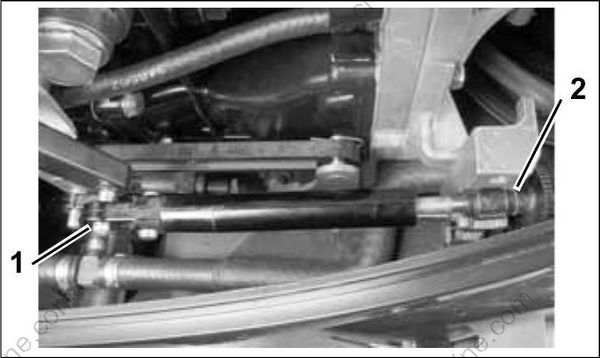
With remote control lever in NEUTRAL, pull firmly on firmly on throttle cable casing to remove slack.
With engine throttle cam against stop, place the cable trunnion into the upper anchor pocket and adjust the trunnion nut so the casing fits onto the throttle lever pin.
002101
- Throttle lever pin
- Trunnion nut
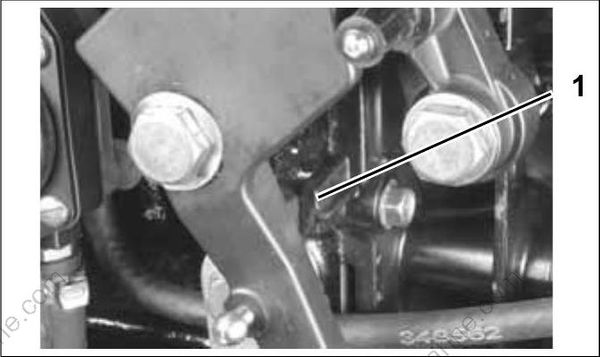
005111
- Throttle stop
IMPORTANT: Move control handle to FORWARD and pull back slowly to NEUTRAL. Make sure the engine throttle lever is against the stop. If not, remove slack by adjusting cable trunnion.
Cable Retainer Clip Installation
When installing retainer clips on control arm linkage pins, clips should be locked and must not be bent or deformed.
For proper installation, review the following steps:
Place washer on pin.
Position retainer clip with straight section on the bottom and angled section on the top.
Use long nose pliers to insert straight section of clip into linkage pin hole.
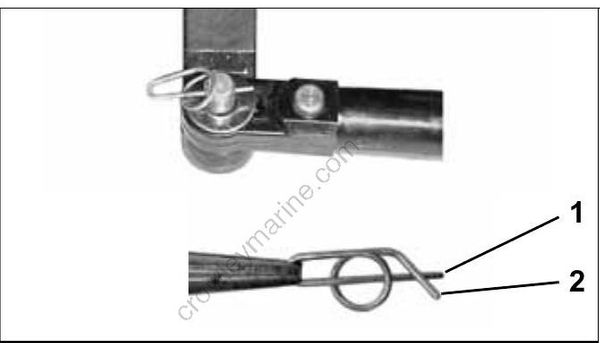
DP0818
DP0817
- Straight section
- Angled section
Push the clip towards the hole while lifting on the curved end with the pliers.
Be sure retainer clip fully engages the pin.
Lock the retainer by moving the angled section behind the straight section.
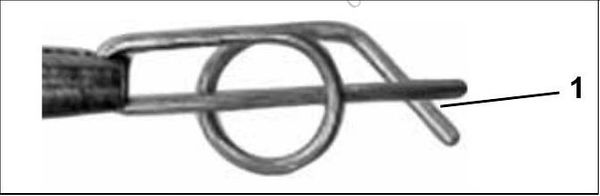
DP0817A
Locked Retainer Clip
- Angled section behind straight section
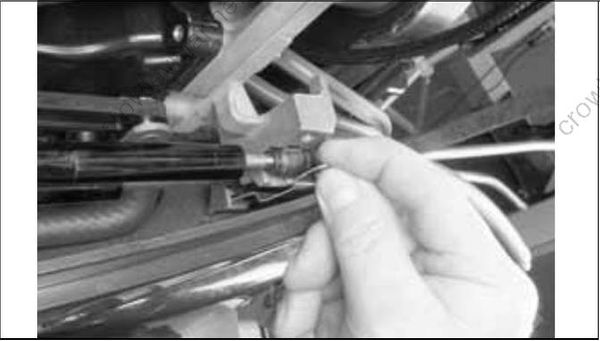
Make sure remote control provides accurate throttle and shift operation. Then, install cable retainer and torque screw 60 to 84 in. lbs. (7 to 9 N·m).
002103
IMPORTANT: After installation, make sure there is enough clearance for all cables to avoid binding or chafing through all engine steering and tilting angles.
Electrical Harness Connections
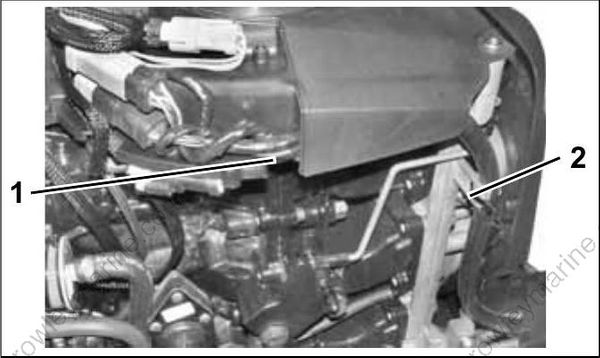
Place the wiring harness through notch in lower motor cover and route to the recess in the flywheel cover. Secure the cable with a tie strap as shown:
002011
- Recess
- Tie strap
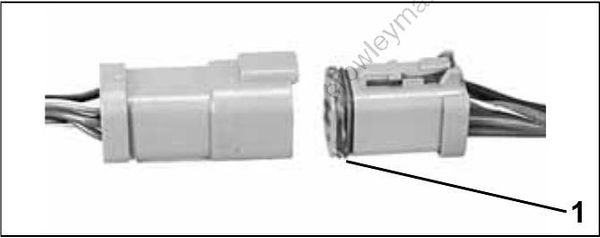
Before installing electrical connectors, check that the seal is in place. Clean off any dirt from connectors. Apply a light coat of Electrical Grease™ to the seal.
42079A
- Seal
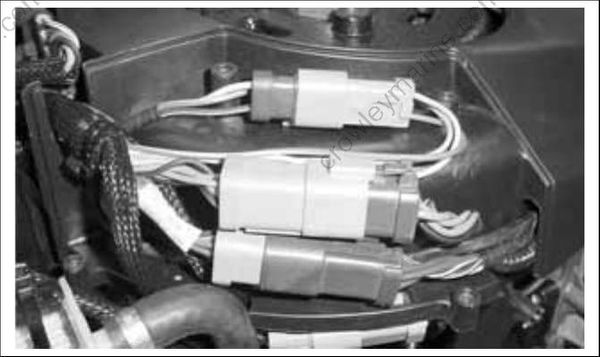
Arrange connectors in flywheel cover.
001999
Install electrical cover and secure with screws.
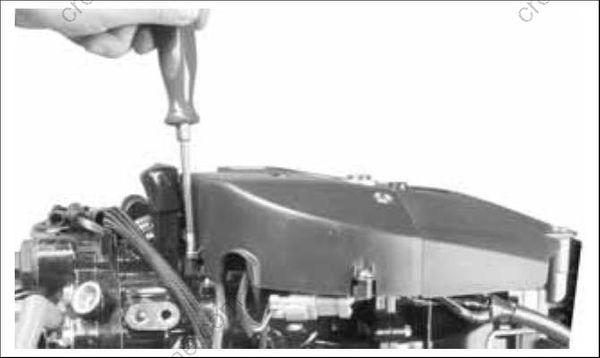
002102
IMPORTANT: BE SURE all harnesses and wires are not pinched, cannot contact flywheel, and do not interfere with moving throttle or shift linkages.
Water Pressure Gauge
If a mechanical water pressure gauge is used, install the water pressure hose fitting in the cylinder block. Use Pipe Sealant with Teflon, P/N 910048, on the threads of the hose fitting. Refer to installation instructions supplied with gauge.
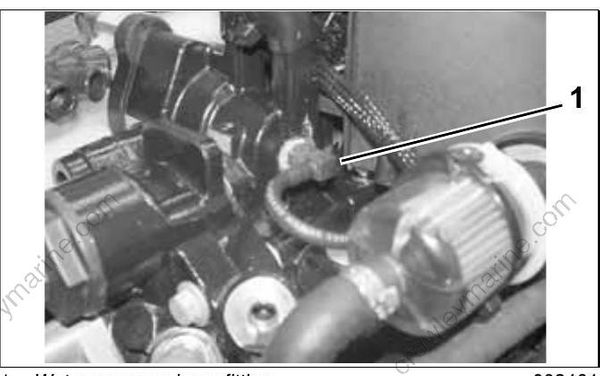
002461
- Water pressure hose fitting
CANbus Connections
If the outboard will be used with I-Command, or other NMEA 2000 compliant CANbus instruments, the following connections will supply information to the network.
Remove lower motor covers. Remove air silencer. Route CANbus network harness around the front of the throttle body, following the path of the TPS wiring, and behind the battery cable. Loosely install tie straps as shown.
IMPORTANT: To prevent wire chafing, harness must be routed below the flywheel cover.
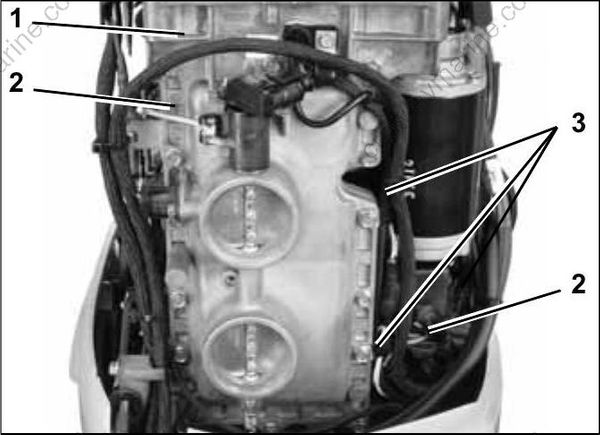
006742
- Flywheel cover
- Harness routing
- Tie straps
Remove protective cap from the EMM CANbus connector and connect to the CANbus network harness.
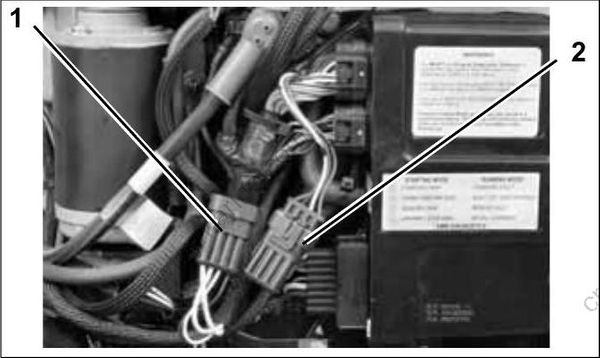
006735
- Canbus network connector
- EMM CANbus connector and cap
EMM CANbus connector cap is clipped to EMM cooling water hose. Remove clip from cap and install on CANbus harness connector.
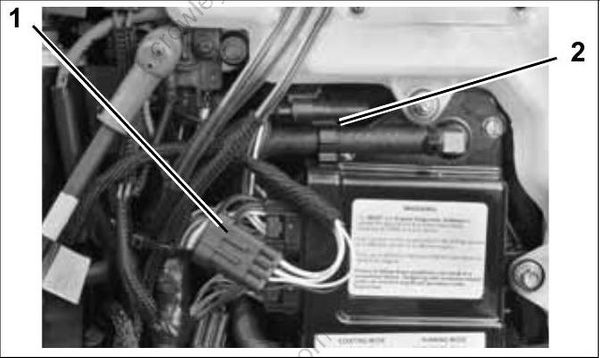
006743
- Canbus harness connector
- EMM CANbus connector cap and clip
Install clip and connector to hose.
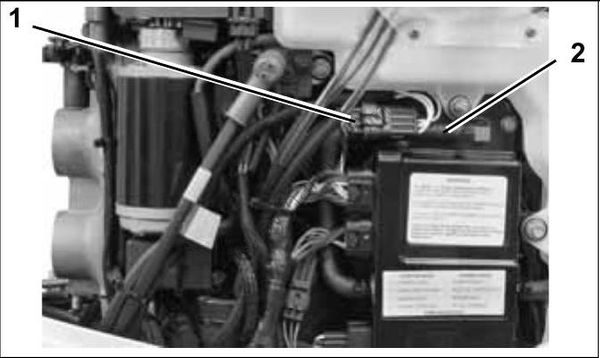
006744
- CANbus connectors
- EMM cooling water hose
Use a CANbus Ignition Harness, in place of the standard MWS harness, to connect the outboard to the key switch and trim/tilt control. Seal unused SystemCheck connector with 6-Pin Connector Seal, P/N 586076.
If installing a Deutsch-style network, connect the purple wire from the CANbus Ignition Harness to the CANbus network harness. This connection supplies power to the network when the key switch is on. Quick Connect-style network does NOT use this connection.
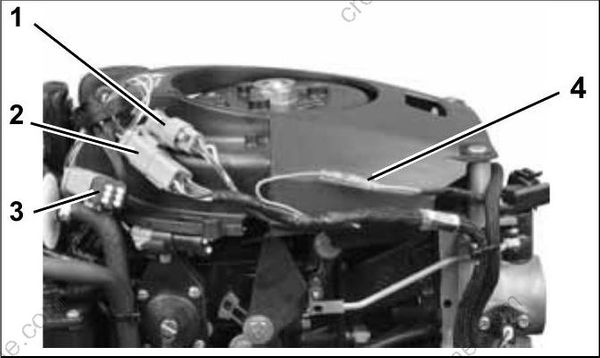
006734
- Trim/Tilt connector
- CANbus Ignition connector
- SystemCheck connector (with seal)
- Deutsch-style harness power connector
Route CANbus ignition harness through wire channel in flywheel cover. Install electrical cover. Make sure both harnesses are in front of the tab and tighten the tie strap.
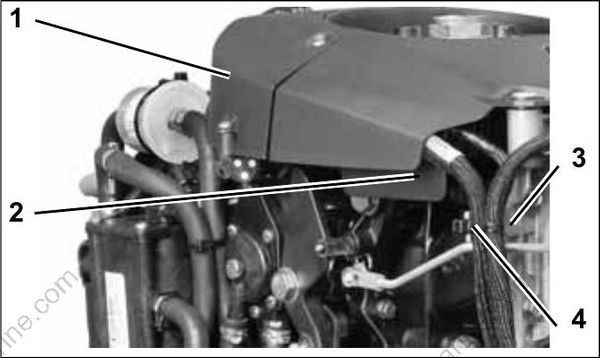
006737
- Electrical cover
- Wire channel
- Tab
- Tie strap
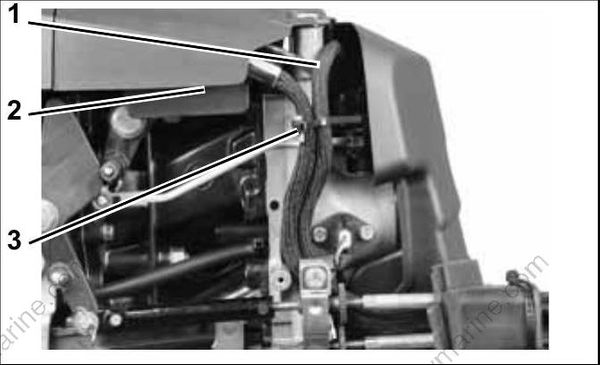
Install air silencer and check that CANbus network harness is not pinched behind air silencer. Make sure both harnesses are in front of tab and CANbus ignition harness is in wire channel.
006739
- CANbus EMM harness
- Wire channel
- Tab
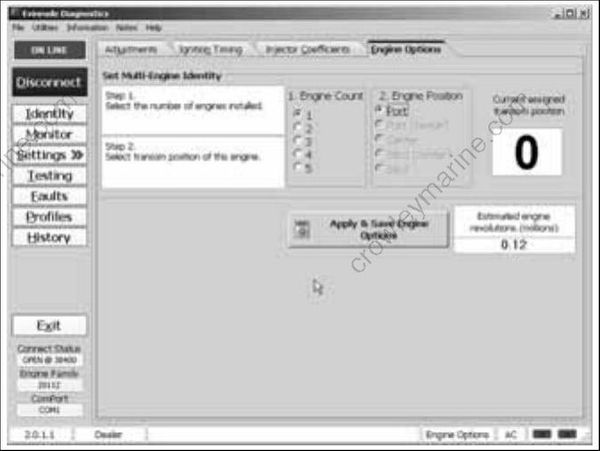
Use Evinrude Diagnostics software to activate CANbus control functions in the EMM. From the Settings screen, select Engine Options.
006542
Engine Options Screen
