

Steering System
Failure to re grease as recommended could result in steering system corrosion. Corrosion can affect steering effort, making operator control difficult.
Grease the stainless steel output end of the steering cable with Triple-Guard grease.
Use an appropriate cleaning solvent to remove corrosion and dirt from output end of cable before coating it wit h grease. Make sure wiper nut is installed and not damaged.
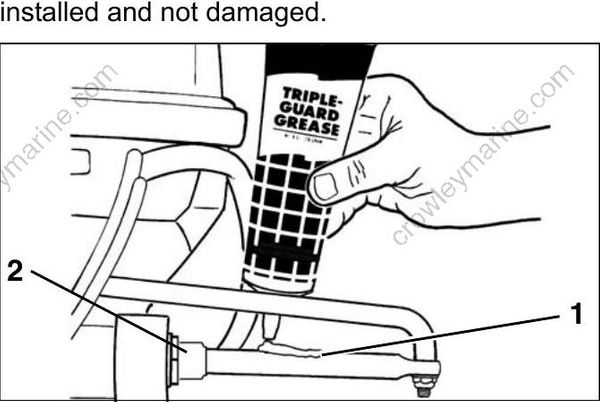
- Steering cable
- Wiper nut
DR29546
Tiller Handle
Lubricate the tiller handle grease fitting s with Triple-Guard grease.
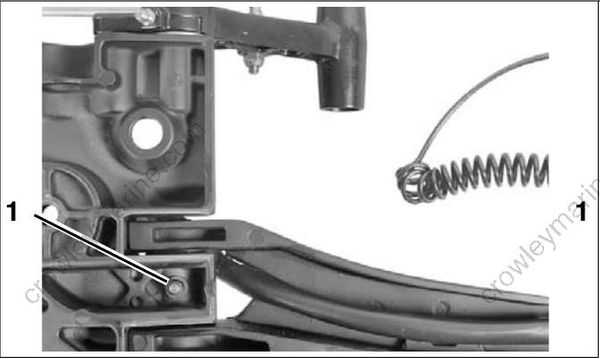
- Tiller handle fittings – Standard handle 008196
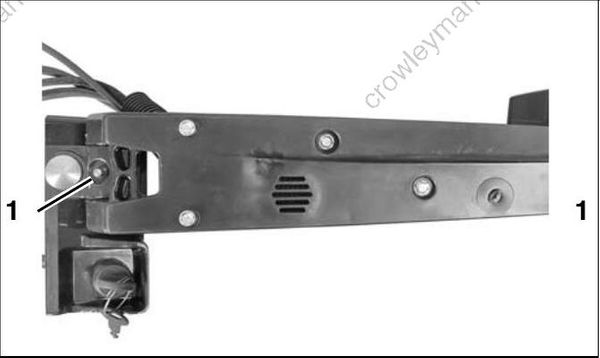
- Tiller handle fittings – Long handle 008197
Tiller Handle
Lubricate the swivel bracket with Triple-Guard grease.
Apply grease until the grease begins to flow from the upper or lower swivel bracket areas.
Coat the pivot points of the trailering bracket with Triple-Guard grease.

2-Cylinder models
- Grease fitting
- Tilt support
DR31329
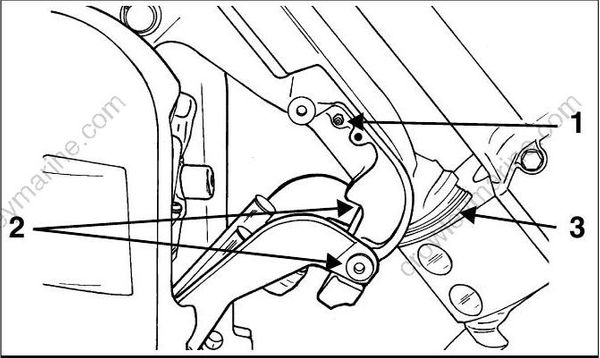
3-Cylinder models
- Grease fitting
- Pivot points
- Lower swivel bracket area
DR5073
Tilt Tube
Lubricate the tilt tube grease fittings with Triple- Guard grease.
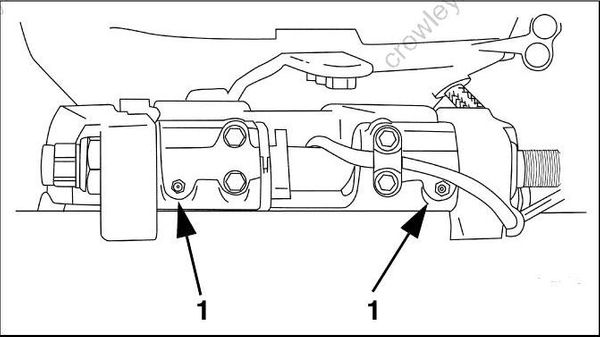
- Tilt tube fittings DR38798
Throttle and Shift Linkage
Disconnect the battery cables at the battery.
Remove clips and washers from throttle and shift lever p ins. Carefully, remove casing guides from pins.
IMPORTANT: DO NOT disturb cab le trunnion adjustments.
Shift remote control into FULL THROTTLE/ REVERSE position to fully extend the plastic casing guides.
Apply Triple-Guard grease to:
• Cable attachment pins of both the throttle and shift levers
• Inner casings of both the throttle and shift cables.
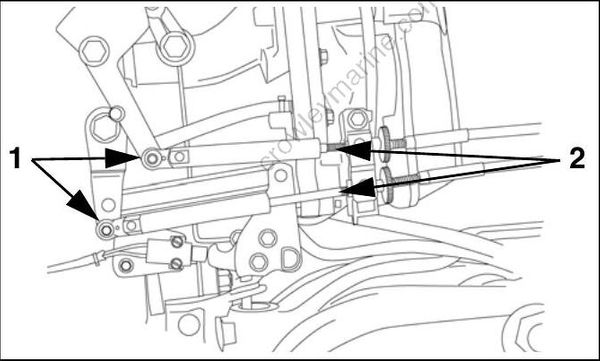
- Attachment pins, throttle and shift cables
- Inner casings, throttle and shift cables
002214
Shift the re mote control to the NEUTRAL/IDLE position.
Install control cables.
Check proper throttle and shift function.
Propeller Shaft
Debris from the water can become lodged around propeller shaft. Frequent inspection can minimize potential gearcase damage.
When servicing the propeller, always shift the outboard to NEUTRAL, turn the key switch OFF, and disconnect the battery cables at the battery.
Remove propeller. Refer to Propeller Hardware Installation on p. 294.
Inspect bushing a nd blade surfaces. Re place damaged or worn propellers.
Clean propeller shaft. Inspect propeller shaft seals. Replace damaged or worn seals.
Apply Triple-Guard grease to entire length of propeller shaft prior to installing propeller.
Reinstall propeller hardware and propeller.
Gearcase Lubricant
Draining
Gearcase lubricant may be under pressure and/or hot. If plug is removed from a recently operated outboard, take precautions to avoid injury.
IMPORTANT: Always check the fill level of the gearcase lubricant at the up per plug before removing the lower, drain/fill plug. A tie strap can be used to check lubricant level.
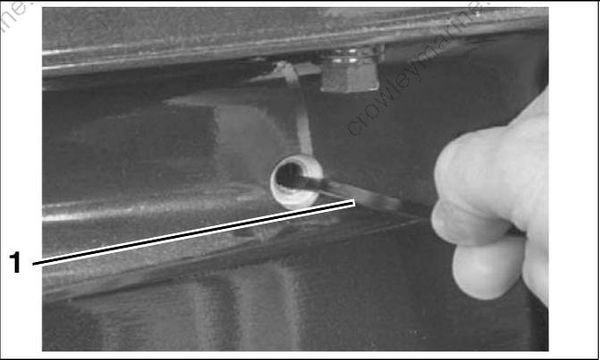
- Tie strap 000072
If lubricant level is low, refer to GEARCASE LEAK TEST on p. 295
Remove the lubricant level plug, then the lubricant drain/fill plug, an d drain the lube from the gearcase into a container.
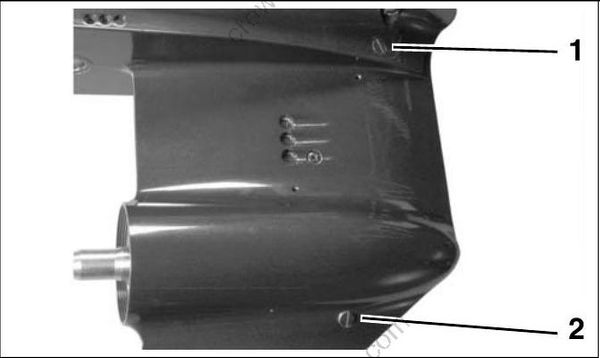
- Lubricant level plug
- Lubricant drain/fill plug
001993
Inspection
Inspect the lubricant a nd the magnet s on the plugs for metal chips. The presence of metal fuzz can indicate normal wear of the gears, bearings, or shafts wit hint he gearcase. Met al chips can indicate extensive internal damage.
Inspect the lubricant for water contamination. Water can make the lubricant milky in appearance. However, normal ae ration c an also cause the same appearance.
To check f or water contamination, put lubricant into a glass container. Allow the oil to settle for a minimum of one hour to determine if there is an abnormal amount of water in the oil.
If water is present, refer to GEARCASE LEAK TEST on p. 295.
Overheated lubricant will have a black color and burned odor.
Internal gearcase inspect ion is re commended when lubricant is contaminated or shows signs of failure.
Filling
Refer to the INSPECTION AND MAINTENANCE SCHEDULE on p. 16 for service frequency and recommended lubricants.
Secure the gearcase in a vertical position.
Remove the lubricant level plug and the lubricant drain/fill plug.
Use Gearcase Filler, P/N 501882, to slowly fill the gearcase with HPF PRO lubricant thro ugh the drain/fill hole until it appears at the oil level hole.
IMPORTANT: Filling the gearcase too quickly can cause air pockets and the gearcase may not fill completely.
Clean plug seal area and install the lubricant level plug and new seal, then the lubricant drain/fill plug and new seal. Tighten plugs to a torque of 60 to 84 in. lbs. (7 to 9.5 N·m).
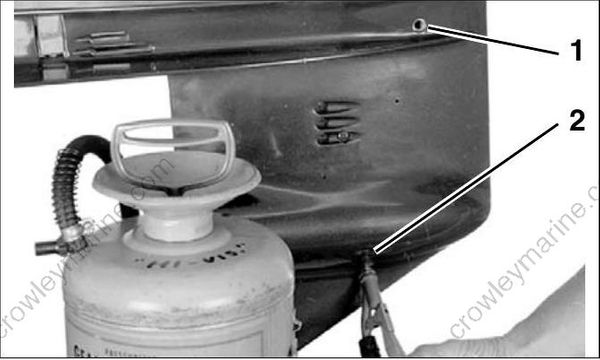
- Lubricant level plug
- Lubricant drain/fill plug
001993
IMPORTANT: The recommended gear lubricants are formulate d for marine applications. Do not use automotive gear lubricants, engine oils, or any other oil or grease.
Trim and Tilt
Correct fluid level must be maintained to ensure operation of the impact protection built into the unit.
Check reservoir fluid level at least e very three years or 300 operating hours.
• 40–60 HP: System capacity is approximately 15.2 fl. oz. (450 ml).
• 75–90 HP: System capacity is approximately 21 fl. oz. (620 ml).
• Tilt the outboard and engage the tilt support.
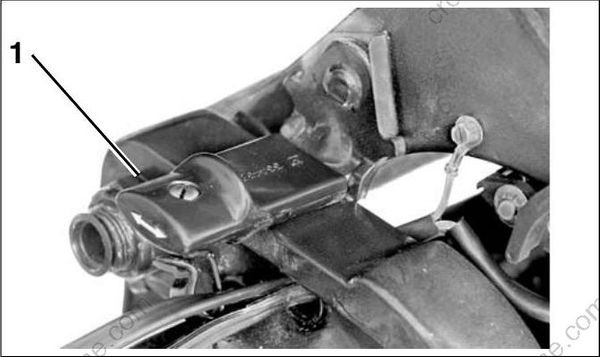
- Tilt support bracket, 40-60 HP 18954
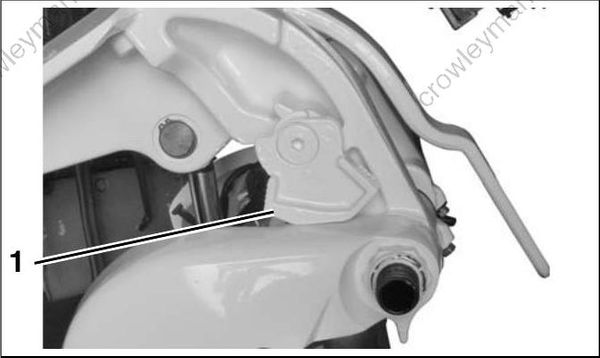
- Tilt support bracket, 75-90 HP 002279
• Single Ram System–Add Evinrude/Johnson Biodegradable TNT Fluid, as needed, to bring level to the bottom of the fill plug threads.
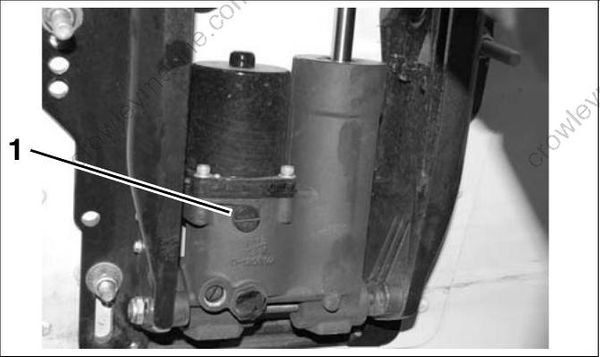
Single Ram System, 40 - 60 HP
- Filler cap
008018
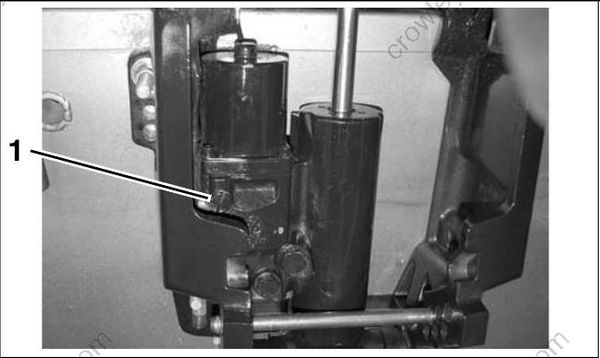
Single Ram System, 79 - 90 HP
- Filler cap
008017
Install the filler cap and tighten to a torque of 45 to 55 in. lbs. (5 to 6 N·m).
• Disengage tilt support.
• Cycle the un it at least five complete cycles to purge all air from the system. When cycling the unit, hold the trim switch ON a n additional 5 to 10 seconds after the unit reaches the end of its travel before activating the switch in the opposite direction.
