

TIMING ADJUSTMENTS
Timing Pointer
The timing pointer on Evinrude E-TEC 15 – 30 HP models is not adjustable.
Timing Verification
Use Evinrude Diagnostics software to synchronize the mechanical timing of the outboard with the electronic timing of the EMM.
Start the outboard.
Use the Settings/Ignition Timing screen of the diagnostics software and follow the on-screen instructions.

Ignition Timing Screen
Check ignition timing after any of the following procedures:
- Powerhead replacement
- Crankshaft replacement
- Flywheel removal or replacement
- CPS replacement
- EMM replacement
- EMM software replacement (reprogramming)
IMPORTANT: Make sure the timing pointer is set and the outboard reaches operating temperature before making any timing adjustments.
TPS Calibration
Use Evinrude Diagnostics software to tell the EMM what throttle position sensor voltage is when the throttle plates begin to open.
Set TPS Calibration after replacing or adjusting any throttle body or throttle linkage parts.
Remove the air silencer.
Do NOT start the outboard.
On t he Settings/Adjustments screen of the diagnostics software, click the “Set TPS Calibration” button.
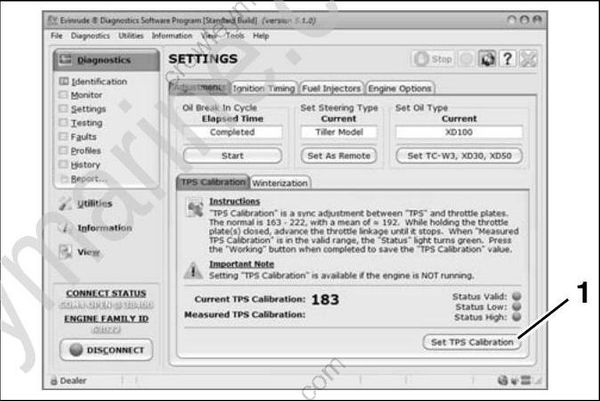
- TPS Calibration button
While holding the throttle plates closed, advance the throttle linkage until it stops. The Measured TPS Calibration field on the screen will increase. Click the Working button in the software to calibrate the TPS.
Install the air silencer.
