

Removal
To avoid accidental starting of engine while servicing, twist and remove all spark plug leads.
Use Ball Socket Remover tool, P/N 342226, to unsnap the throttle cable clip from the throttle lever.
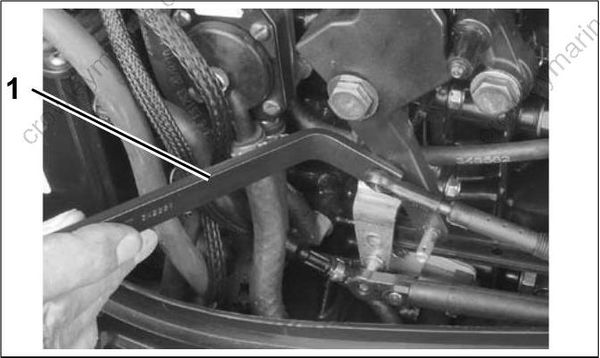
- Remover tool
Remove the throttle cable anchor screw and washer. Loosen throttle cable retainer screw. And, remove the tie strap holding the tiller handle electrical harness.
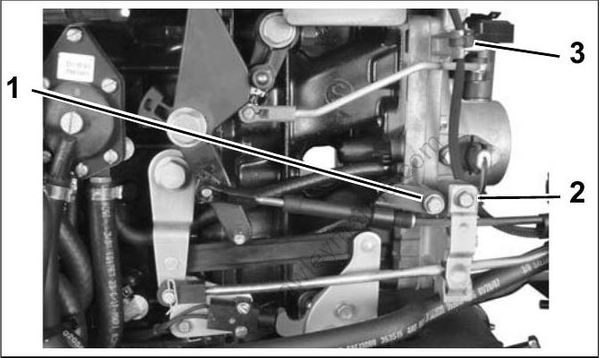
- Cable anchor screw and washer
- Cable retainer screw
- Tie strap
Remove the electrical cover.
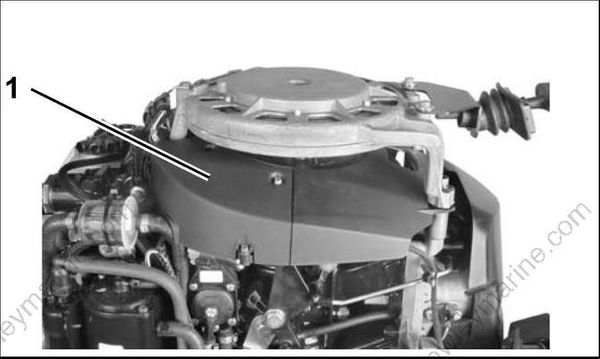
Disconnect the electrical harness coming from the tiller handle.
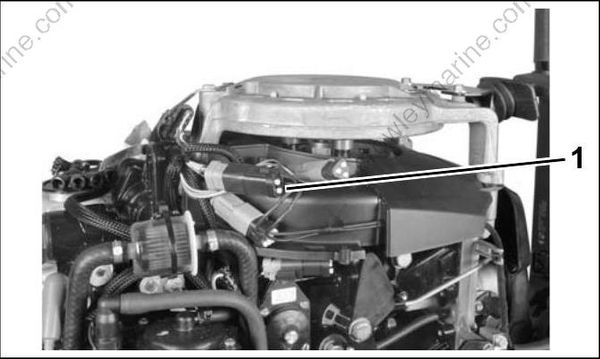
- Electrical harness connector
Remove throttle cable and wires from grommet in lower engine cover.
Remove the screw attaching steering handle. Remove handle.
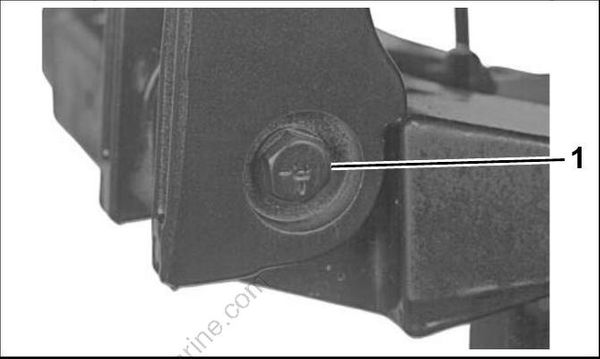
- Screw
Disassembly
Loosen throttle friction control so there is no restriction on grip.
IMPORTANT: Do not back screw out completely. Nut is under spring tension.
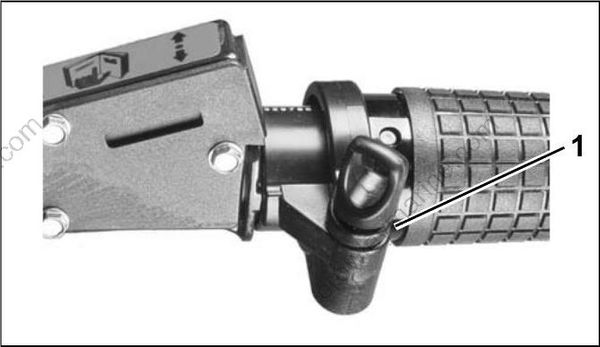
- Throttle friction control
Use Twist-Grip Remover, P/N 390767, to depress the grip detents. Tighten screw and remove the grip by pulling grip.
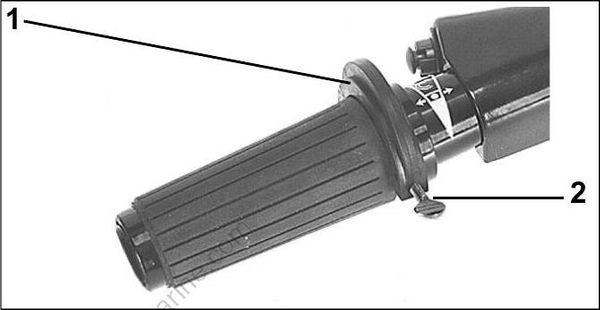
- Twist-Grip Remover
- Screw
Remove the helix halves, rollers, and guides.
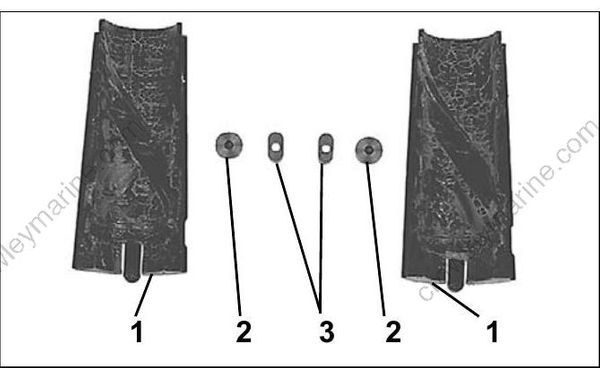
- Helix halves
- Rollers
- Guides
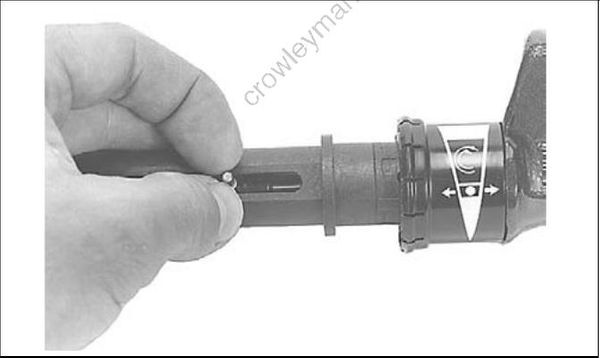
Pull the throttle pin out of the cable.
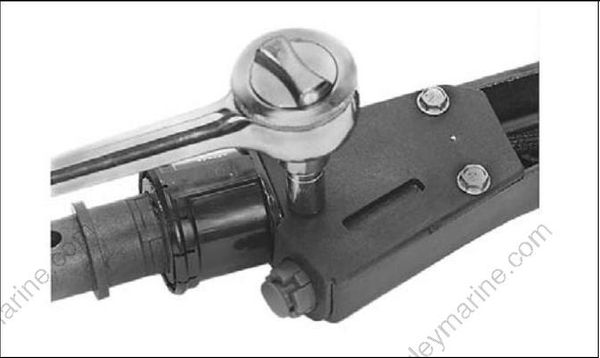
Remove stop switch cover screws and cover/stop switch assembly.
Remove the throttle control plate.
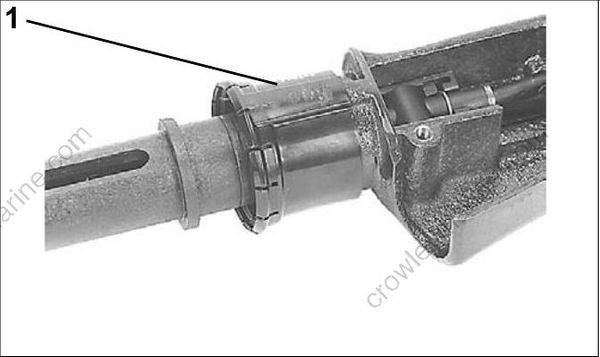
- Throttle control plate
Remove the throttle cable retaining clip. Pry the cable trunnion out of the steering handle and remove cable.
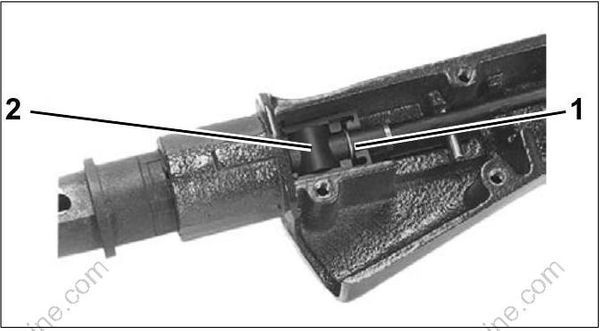
- Retaining clip
- Cable trunnion
IMPORTANT: DO NOT remove the inner handle except to replace it.
Use a punch and mallet to drive out the steel pin holding the inner handle into the steering handle.
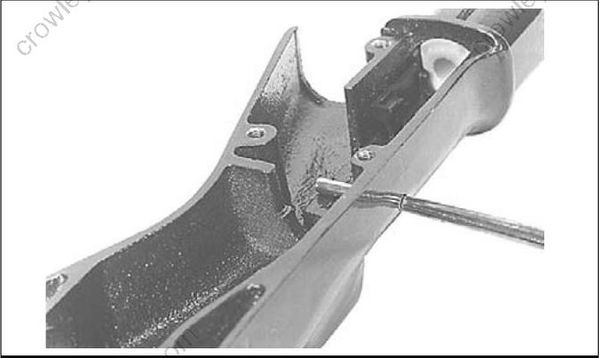
Remove the plastic inner handle from the metal outer handle by driving the outer handle off with a mallet and a punch. Inner handle is bonded to the
outer handle. After removing, chip away remnants of inner handle.
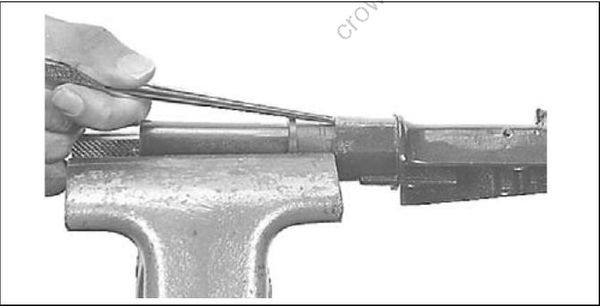
Remove throttle cable seal from the inner handle.
Inspection
Inspect the throttle cable for kinks and wear. Replace if necessary.
Inspect the steering handle components for wear, cracks, or damage. Replace parts if necessary.
Assembly
Install the throttle cable seal in inner handle.
If removed, apply Loctite Depend 300 adhesive to inner handle at areas shown.
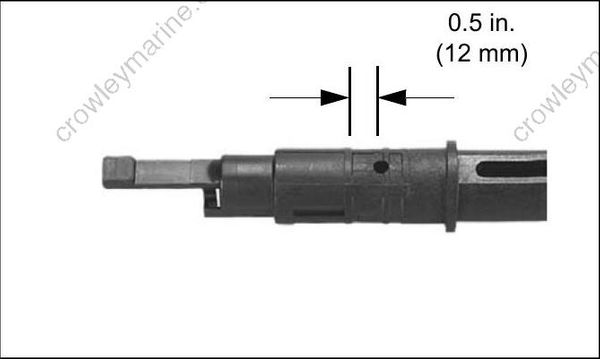
Install the metal outer handle over the plastic inner handle and drive the outer handle into place.
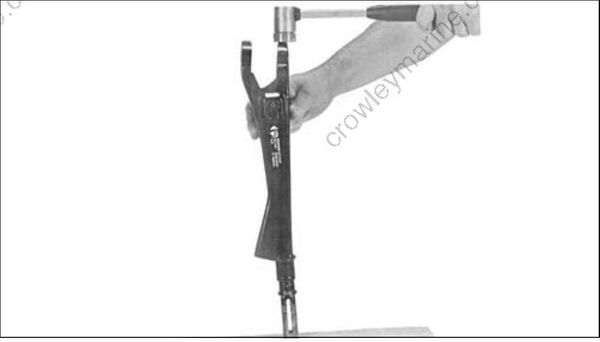
Secure tab of the inner handle into recess of the outer handle with the steel pin.
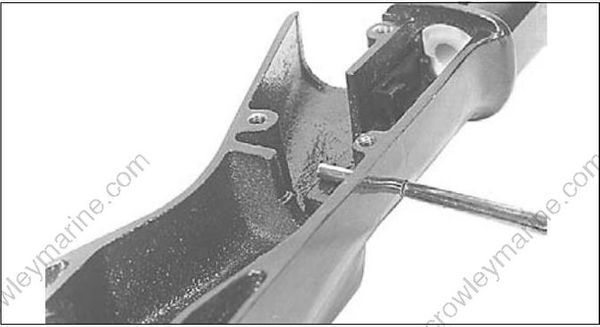
Install the handle end of the throttle cable. Snap the throttle cable trunnion into the recess in the handle. Install the retainer clip.
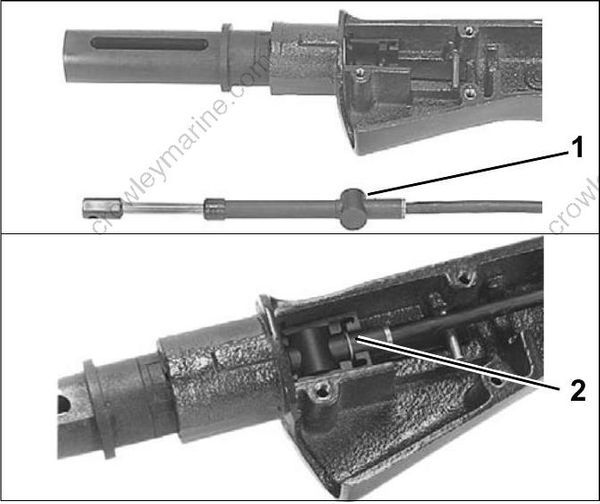
- Throttle cable trunnion
- Retainer clip
Install the throttle control plate on outer handle.
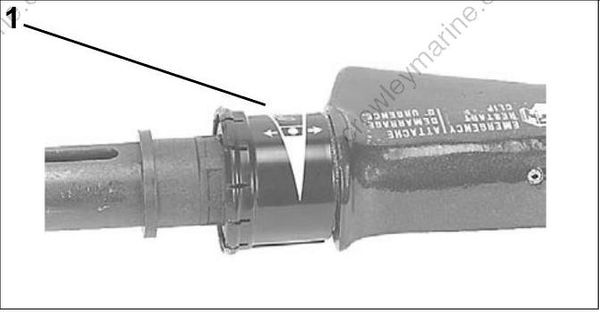
- Throttle control plate
Push the throttle cable pin through the end of the throttle cable.
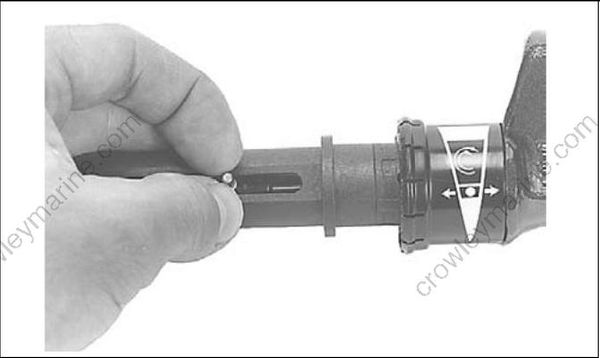
Lubricate end of the pin, guides, rollers, helix grooves, and inner handle guide slot with Moly Lube. Place the guides over the roller pin and into the slots of the inner handle. Place the rollers on the ends of the roller pin. Assemble the helix halves on the handle and slide the grip over the helix.
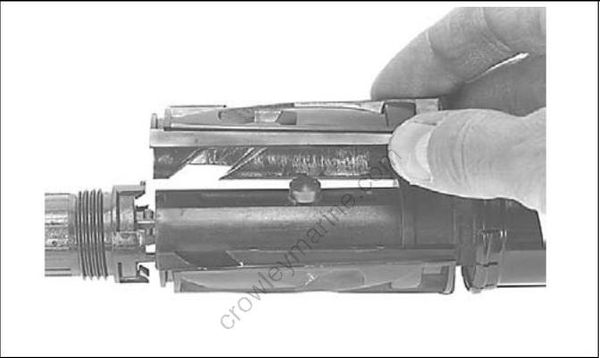
Be sure the twist-grip's speed indicator line is positioned with the speed range symbol on the handle. Snap the grip into place.
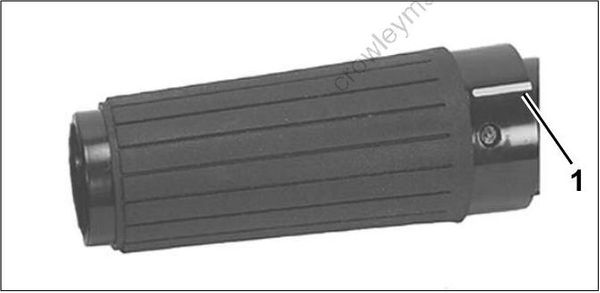
- Indicator line
Slide the protective sleeve over the stop switch leads and throttle cable and install stop switch cover.
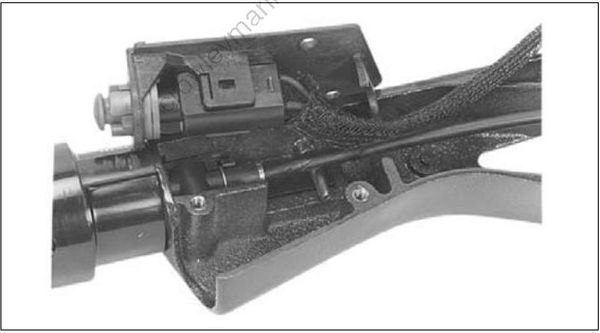
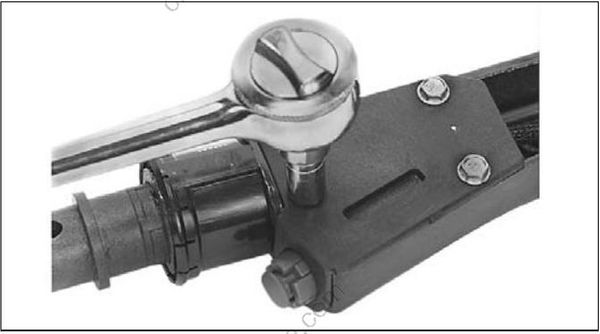
Installation
Apply Triple-Guard grease to the two steering handle bushings. Place the bushings into the steering bracket. Attach the steering handle to the bracket. Tighten screw to a torque of 36 to 40 ft. lbs. (49 to 54 N·m).
The steering handle nut must have a nylon patch for locking. Replace the nut if it has lost its locking feature. Tighten the nut so the steering handle can be pivoted and maintained in any position.
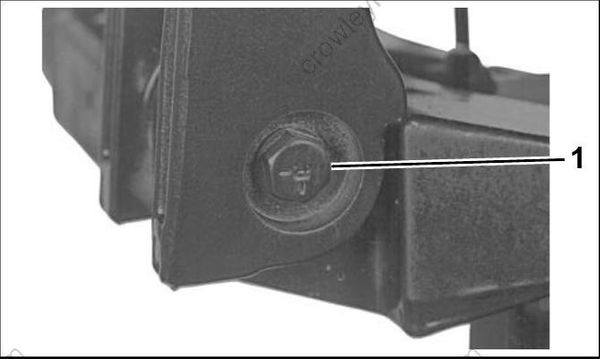
- Screw
Route throttle cable and electrical harness through grommet in lower motor cover. Connect harness to engine wiring harness.
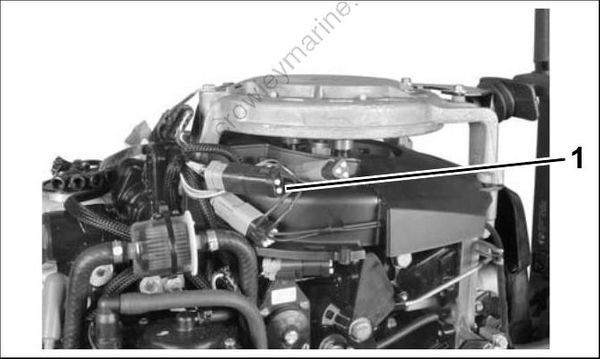
- Electrical harness connector
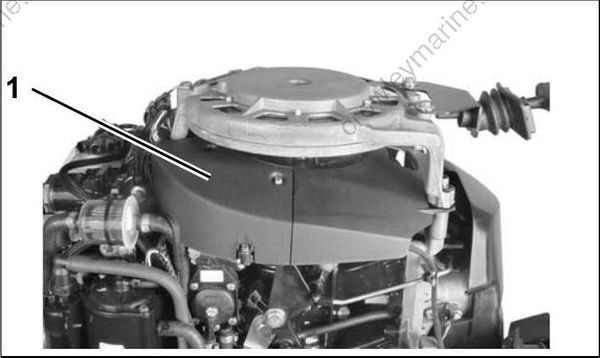
Install electrical cover.
Throttle Cable Adjustment
Place throttle cable in position. Use Ball Socket Installer tool, P/N 342225, to snap throttle cable connector onto throttle cam pin.
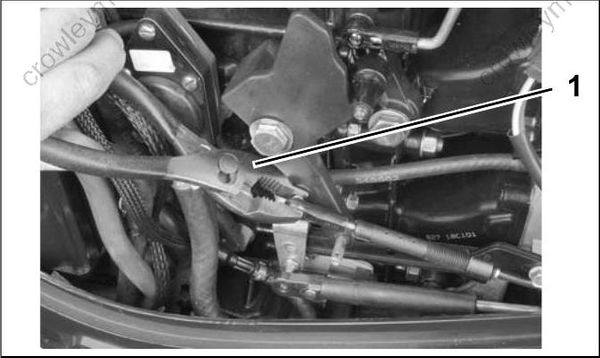
- Installer tool
Place throttle cable in upper anchor pocket. Install cable retainer on anchor block.
Hold twist grip in full SLOW position. Pull firmly on cable to remove backlash.
Adjust cable anchor so throttle cam is against idle stop when anchor screw aligns with throttle body boss. Then, rotate anchor four turns toward the end of the cable.
Install washer, cable anchor, and cable anchor screw on throttle body boss. Tighten screw securely.
Secure electrical harness with tie strap.
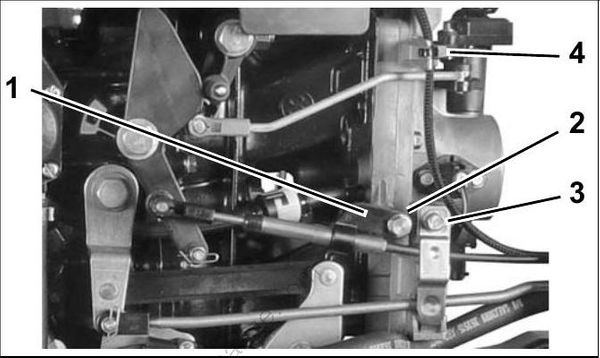
- Cable anchor
- Boss
- Cable retainer
- Tie strap
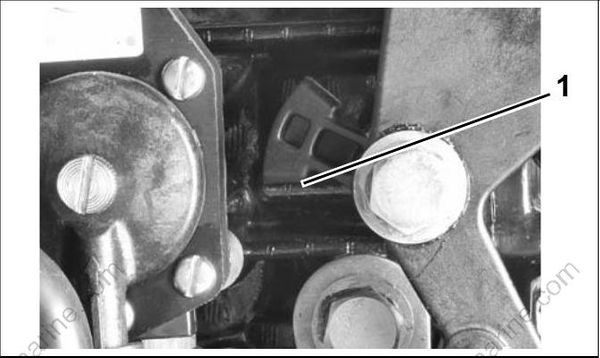
- Throttle stop
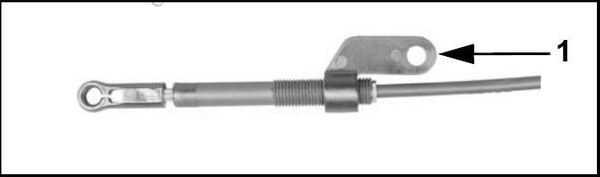
- Turn anchor four turns toward cable end.
IMPORTANT: Rotate twist grip. Make sure throttle cam goes to full throttle without bending cable, and still returns to IDLE stop.
