

Software Replacement
Software programs or “maps” are downloaded into the EMM prior to factory testing of the outboard. Periodically, a new map may be available to enhance the operation of an outboard. Refer to the installation instructions provided with the program.
Software replacement requires the use of “Bootstrap” Tool, P/N 586551.
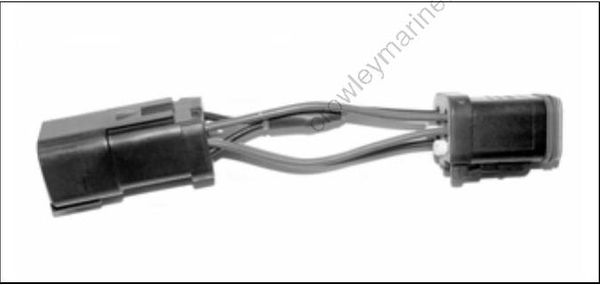
EMM Transfer
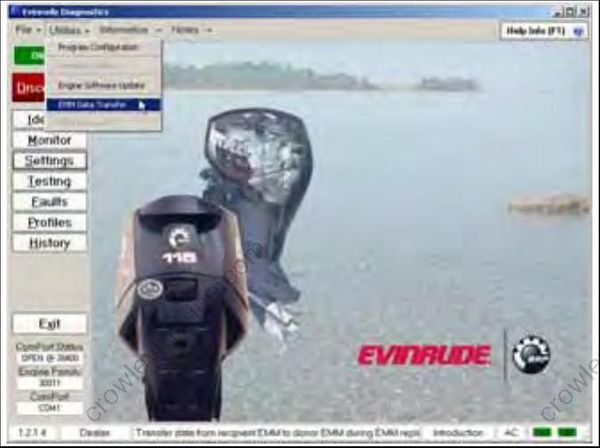
EMM Transfer is a feature that allows EMM replacement. Use the diagnostic software program and follow the “help info” instructions provided in the program.
Whenever the EMM is replaced, timing verification must be performed. Refer to Timing Verification on p. 155.
SYSTEMCHECK ENGINE MONITOR
The SystemCheck engine monitor warns the operator of conditions that could damage the engine. The monitoring system consists of a dash mounted gauge, a warning horn, sensors on the engine and oil tank, and related wiring.
The system is compatible with the Evinrude Modular Wiring System (MWS), I-Command system, or other NMEA 2000 compliant CANbus instruments.
Gauges
Gauges are available in several styles, from a basic gauge with four LEDs to a CANbus gauge with LCD readout.
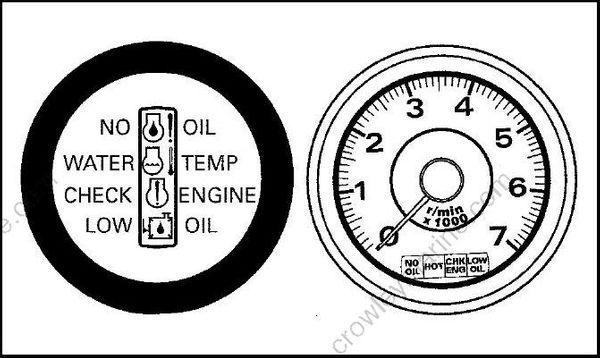
Typical MWS SystemCheck gauges
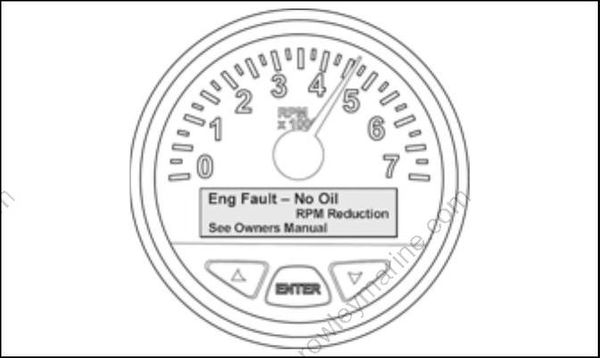
Typical I-Command gauge
The EMM activates the warning horn and the appropriate gauge display as follows:
- NO OIL indicates an oil delivery problem such as an empty oil tank or damaged oil system components.
- WATER TEMP or HOT indicates an engine or EMM overheat condition.
- CHECK ENGINE is used to indicate numerous fault conditions identified by EMM.
Refer to the EMM Service Code Chart located at the back of this manual for a detailed list of service codes related to SystemCheck activation.
The oil tank sending unit activates the warning horn and the LOW OIL light of the gauge.
- LOW OIL indicates the oil level in the oil tank is down to the reserve level (about 1/4 full).
System Self-Test
During engine start-up, pause with the key switch in the ON position. The horn self-tests by sounding a half-second beep. MWS gauges self-test by turning the indicator lights on simultaneously, then off in sequence.
Service Mode
SystemCheck goes into a service mode if the key is left ON after self-test (engine NOT running). All light circuits and sensors are active, but the horn is not. Grounding the appropriate light circuit wire will turn the light on, but the horn will not sound.
Engine Running
All warning light circuits are active when the engine is running. A microprocessor in the gauge monitors the tach circuit and activates the horn circuit when engine speed exceeds 500 RPM. The gauge will continue monitoring until the engine stops.
SystemCheck warnings activate the horn for 10 seconds and the appropriate gauge light for a minimum of 30 seconds. If the failure is momentary (e.g., oil moving in the tank), the light will remain ON for the full 30 seconds before going out. If the fault continues, the light remains ON until the key is turned OFF or the failure is corrected. The warning will reoccur at the next start up if the problem is not corrected.
