

Menu Setting
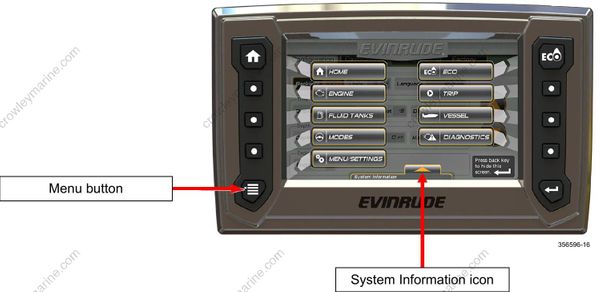
Press the Menu button to access the Menu screen. This is a pop-up feature that shows icons for screen navigation and system information.
Touch the System Information icon to view a pop-up menu which contains software information specific to the display. Touch the icon a second time to close the pop-up menu.
Touch any icon to navigate to the associated screen.
Touch the Menu Settings icon to open the following features:
Configuration
Calibrations
Winterize
