Using The Display
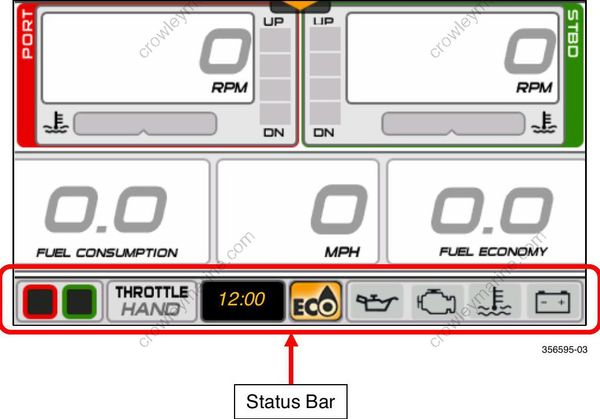
A pop-up and audible warning if equipped with Horn Kit Assembly, P/N 176361, will remain in effect until acknowledged by the operator by touching the pop-up area. As long as the fault is active, the pop-up may be re-initiated by touching the right-hand side of the Outboard Status Indicator area of the Status Bar.
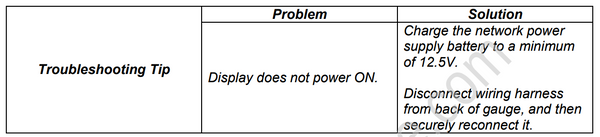
Turning the Display ON
Turn the key switch to the ON position or start the outboard to turn the display ON.
Using the Display
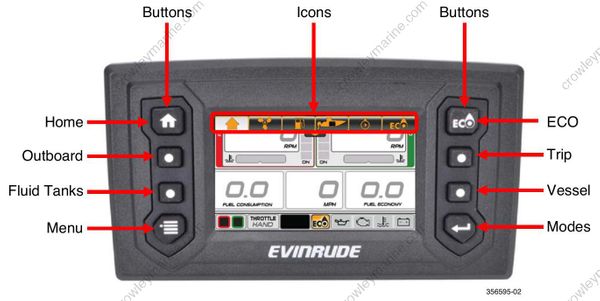
Use the Quick Access buttons to access a screen. Use the on-screen Touch Point icons to access a screen or select a specific feature.
Quick Access Buttons and Icons
Press a button or on-screen icon to access its associated screen.
Touch Point Icons
The touch point icons are located at the top of the screens. Touch the icons to navigate to the selected screen.
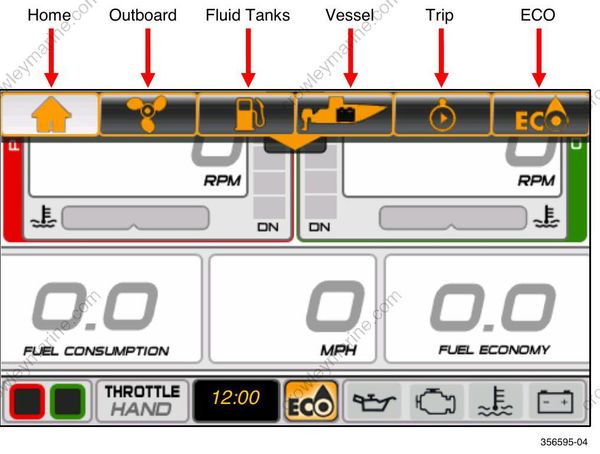
Touch point icons are also located on the Menu screen.
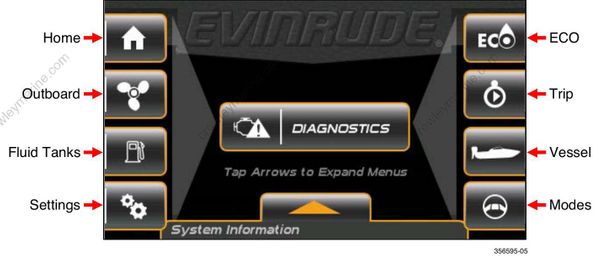
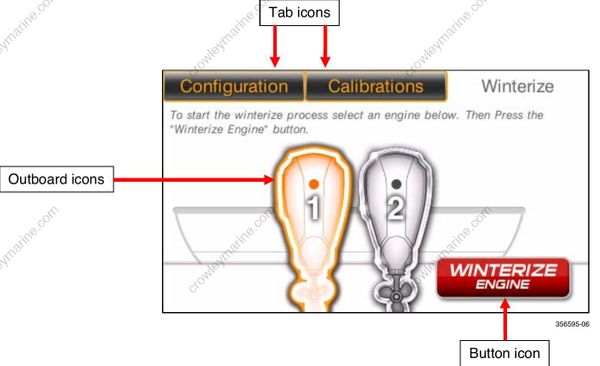
Navigation within a screen is controlled with Touch Point Icons. Active icons are highlighted. When touched they select an item or give more information via pop-up menu or a new screen.
This illustration shows tab icons, outboard icons, and a button icon.
Status Bar
The Status Bar is located at the bottom of the screen. The data shown is:
Outboard Selection – Red (port), Green (starboard)
Throttle Input – Hand or Foot (only selectable with the installation of a foot throttle)
Time – Hour/Minutes
ECO – ON or OFF (indicates a more economical operating condition when illuminated)
Outboard Status Indicators – Oil, Outboard, Temperature, and Battery