

Screen Features
- Fuel Economy – miles per gallon (MPG) – requires Speed Over Ground input (from GPS antenna) or Speed Over Water (SOW) input
o Speed Over Water input requires the use of one of the following transducers:
● BRP P/N 764671 – Transom mount (speed, depth, temp) transducer
● BRP P/N 764673 – Thru hull (speed, depth, temp) transducer
● BRP P/N 765150 – Transom mount (speed only) transducer
Home 2
For single outboard applications only:
From any page, press the Home button two times.
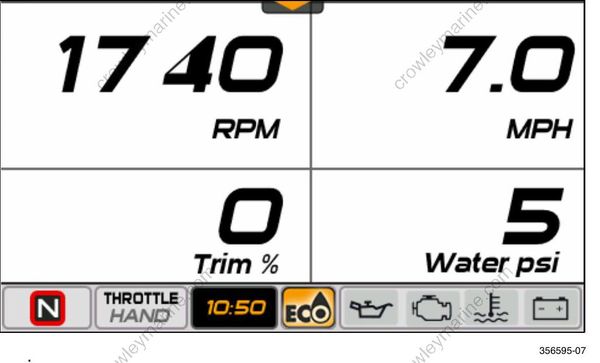
The data shown is:
RPM
Trim %
Speed Over Ground – requires GPS speed input
Water Pressure – requires 0-50 psi pressure input transducer, use BRP P/N 5008640
| Problem | Solution | |
|---|---|---|
| Water Pressure Troubleshooting Tip | Water pressure does not display or is not accurate | Reset the water pressure range; use Evinrude Diagnostic software (see you dealer). |
