

Screen Features
Home 1
Press the Home button or the Home icon to access the Home 1 screen.
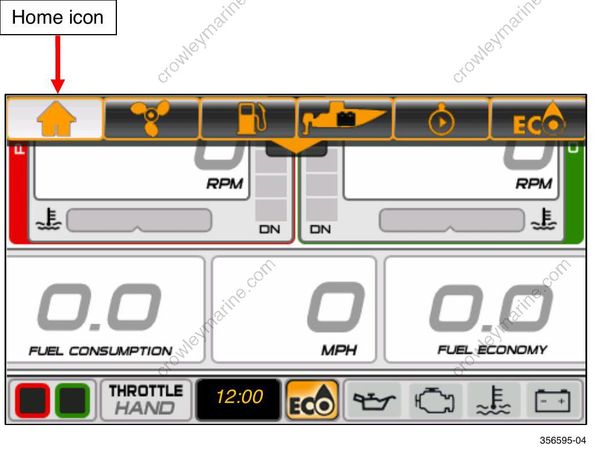
The Home screen shows data for Port and Starboard outboards. The data shown is:
- RPM
o Port and Port Center RPM data is highlighted in Red
o Starboard Center and Starboard RPM data is highlighted in Green
Coolant Temperature or Coolant Pressure (if available from the outboard)
Trim Position
| Problem | Solution | |
|---|---|---|
| Trim Position Troubleshooting Tip | Trim position is not accurate. Trim position does not display. | Reset the Trim/Tilt calibration level. See Trim/Tilt Calibration on page 25. |
Speed Over Ground (SOG) – requires GPS antenna input; use BRP P/N 767488
Fuel Consumption – vessel gallons per hour (V-GPH) – sum of all outboards
