

Step 1: THERMO SWITCH
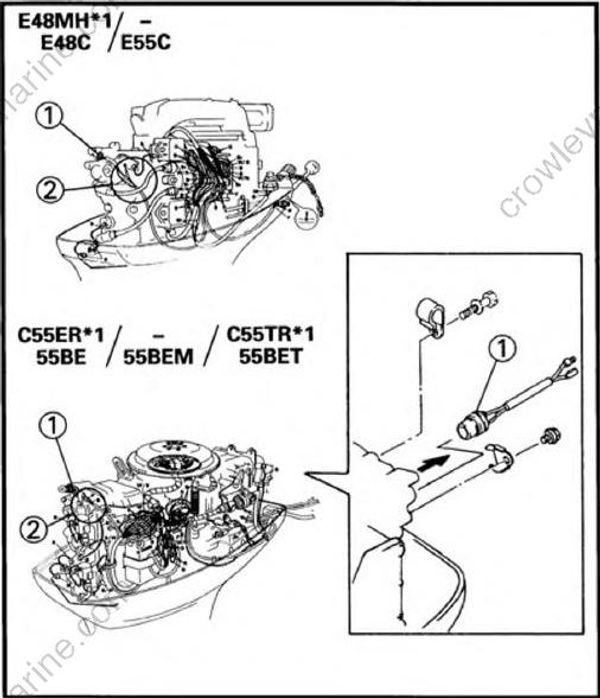
- Check:
- Thermo switch (1) function
Out of specification->Replace.
Checking steps:
Disconnect the Pink (P) and Black (B) leads (2) from the wire harness.
Remove the thermo switch (J) from the cylinder head.
• The thermo switch should be pulled out straight. Do not pull it out too hard or
diagonally, or leads may break.
• Handle the thermo switch very carefully. Never let it drop or give it a strong
shock. Should it be dropped, it must be replaced.
• Avoid submerging the thermo switch during the test, or malfunctions may result.
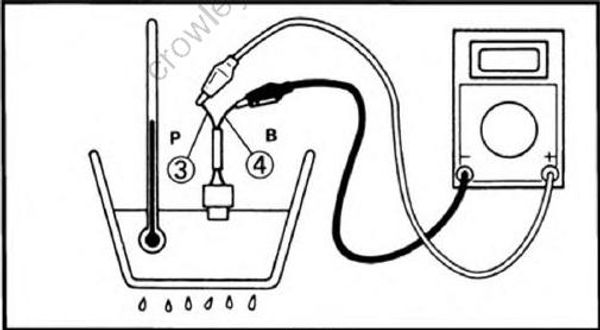
- Set the tester to continuity test mode and connect it to the thermo switch as shown.
Tester (+) lead ->Pink (P) lead (3)
Tester (-) lead ->Black (B) lead (4)
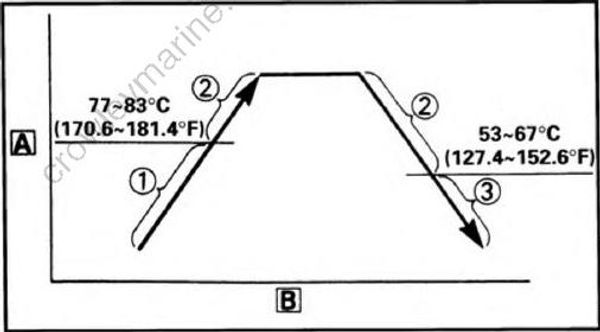
Immerse the thermo switch in water. While heating the water, check the continuity at the specified temperature.
While cooling the water, check the continuity at the specified temperature.
(1) No continuity
(2) Continuity
(3) No continuity
[A] Temperature
[B] Time
Digital multimeter: P/N. YU-34899-A, 90890-06752
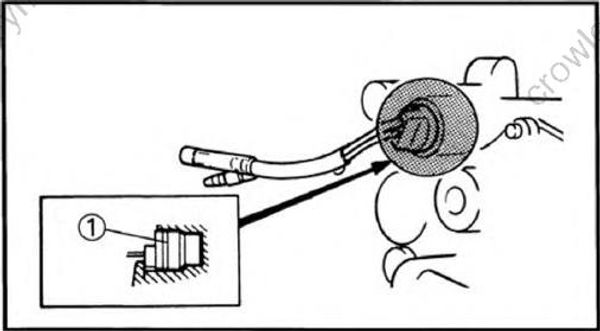
- Install the thermo switch (1) into the cylinder head.
Avoid pushing the thermo switch hard into the cylinder head, or leads may
break at soldered areas.
